Create a SQL Server Instance
Start the SQL Server Installation Media and select Installation, New SQL Server stand-alone installation or add features to an existing installation.
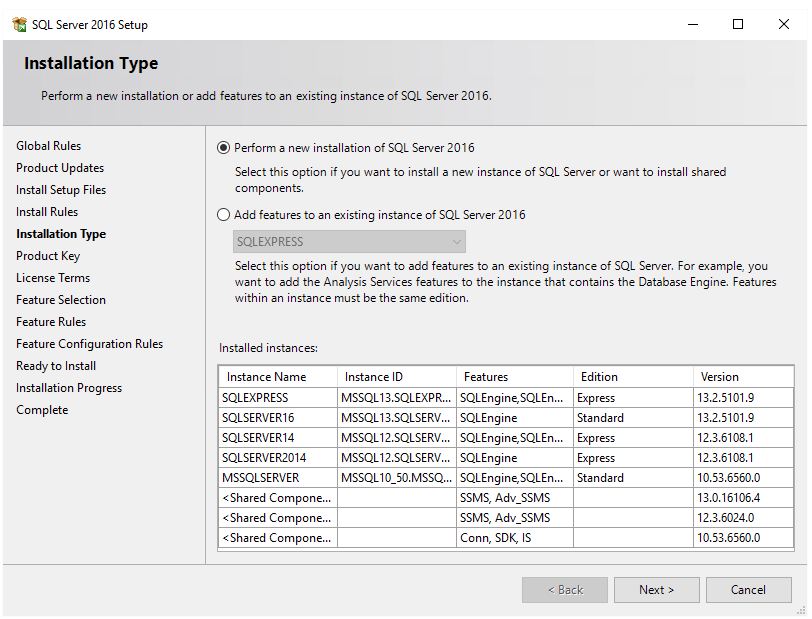 |
Check Perform a new installation of SQL Server.
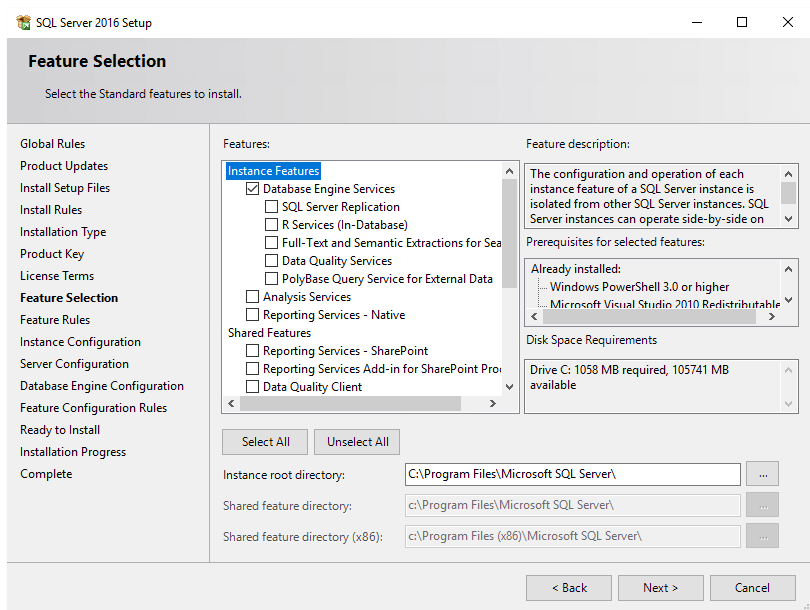
Check the features to install. At a minimum check Database Engine Services.
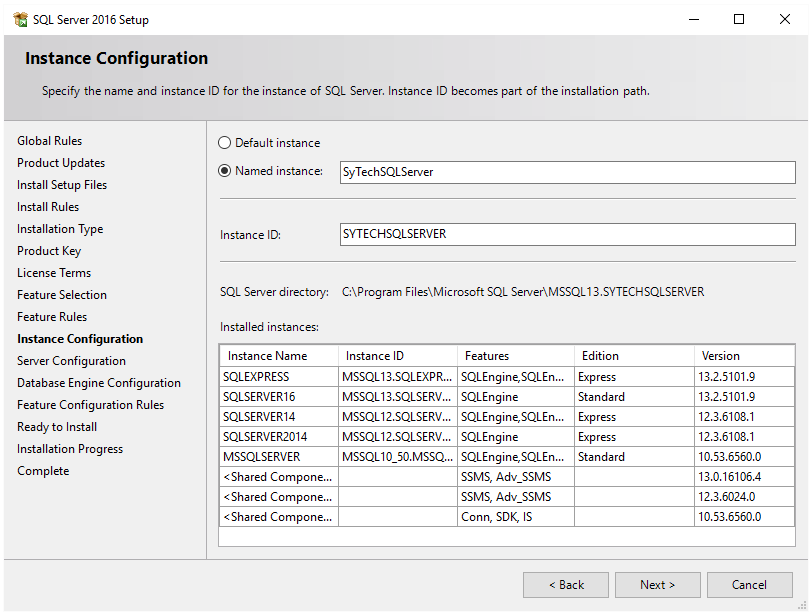
Enter a Named Instance.
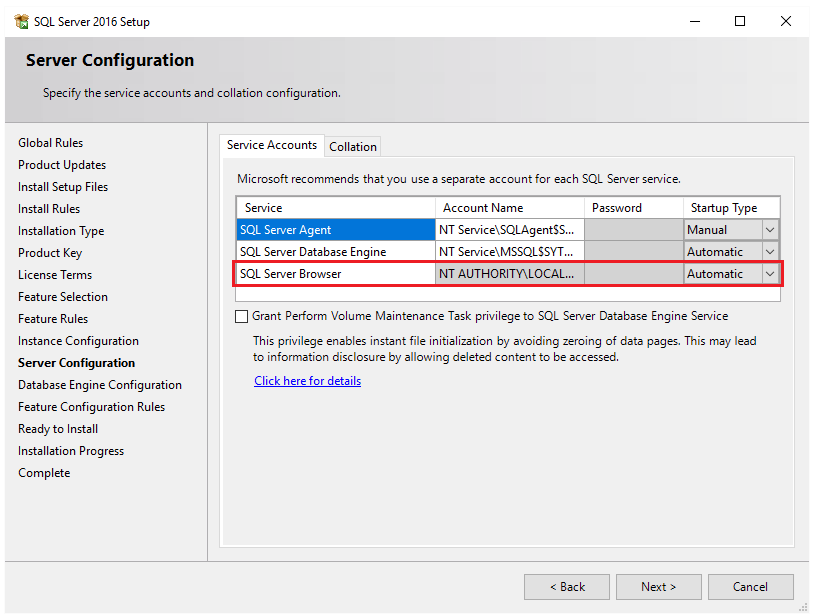
Set SQL Server Browser to Automatic.

Click Add Current User to give the current Windows account permission to the database.
If the database will be accessed across the network enable Mixed Mode.

Click Install to start the setup of the Instance.