Component Lists
Component, Handle ID
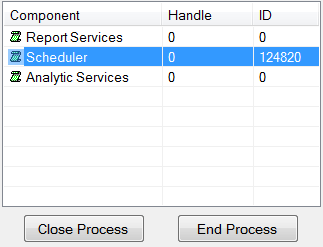 |
This lists the current Handle and process ID for each component. If the Handle and ID are both 0, the component is not running. If either is not 0, the component is running.
If for whatever reason a component is stuck and needs to be ended, highlight it in the list and click the Close Process button. If this does not clear the Handle and ID, click the End Process button.
Component, Flag
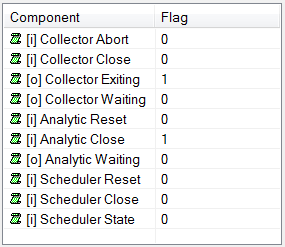 |
This list comprises of a set of flags that can be set for specific components to either control their behavior or to reflect the last action of the component.
Component, State
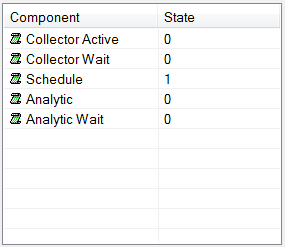 |
This list reflects the current state of each component with 1 indicating the component is running and 0 indicating it is not.