Data Group
The following describes the historical data group settings specific to the Cimplicity Alarms connector.
Group Types
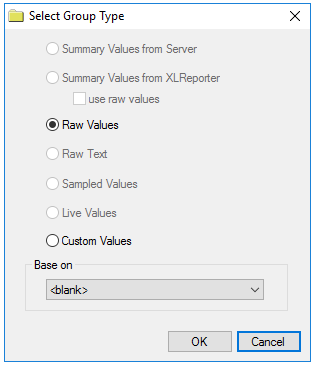 |
For Cimplicity Alarms the following group types are available:
Raw Values
This group retrieves every value logged to the alarms database between the start and end time specified.
Custom Values
This option opens the Database Group builder where a query can be configured to retrieve data from any table available in the database connected to by the connector.
Group Settings:
Filters Tab
If the Perform by Server option is checked, any filter configured in this tab is put into the WHERE clause of the query sent to the database to retrieve data for the group. Otherwise, the configured filtering is performed by the reporting engine after the values are returned. It is recommended to leave this setting checked as the performance is much better.