Backup a Project
From the XLReporter Project Explorer menu select File, Backup Project to create a compressed copy of the project.
The backup is based on the configuration xlrProjectBackup which can be modified in Distribute, File Manager.
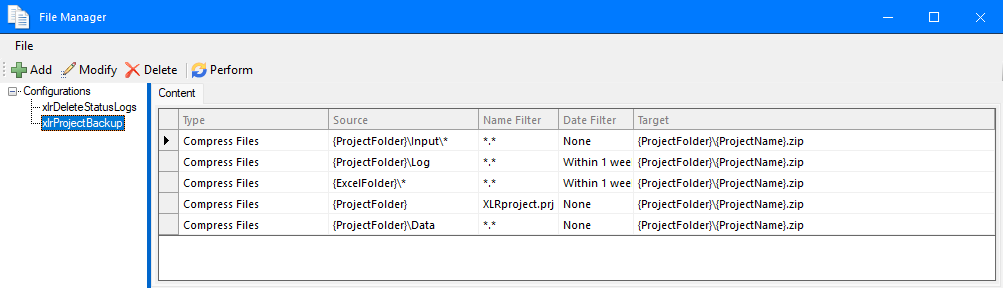
By default this is set up to back up the project’s Input directory as well as any logs or reports generated within the last week.
A path to the backup is displayed when the backup is finished.
Restore a Project
To restore a project that has been backed up using the backup option above, select File, Restore Project.
Browse to the .zip file of the backed up project and click Open. This can be very useful when transporting a project from one machine to another.