Historian Configuration
AVEVA Historian Event Tags are used to trigger actions in the historian application based on a timed schedule (among other conditions). Event Tag configuration is performed in the AVEVA System Platform Management Console.
This is opened from the AVEVA program group by selecting System Platform Management Console.
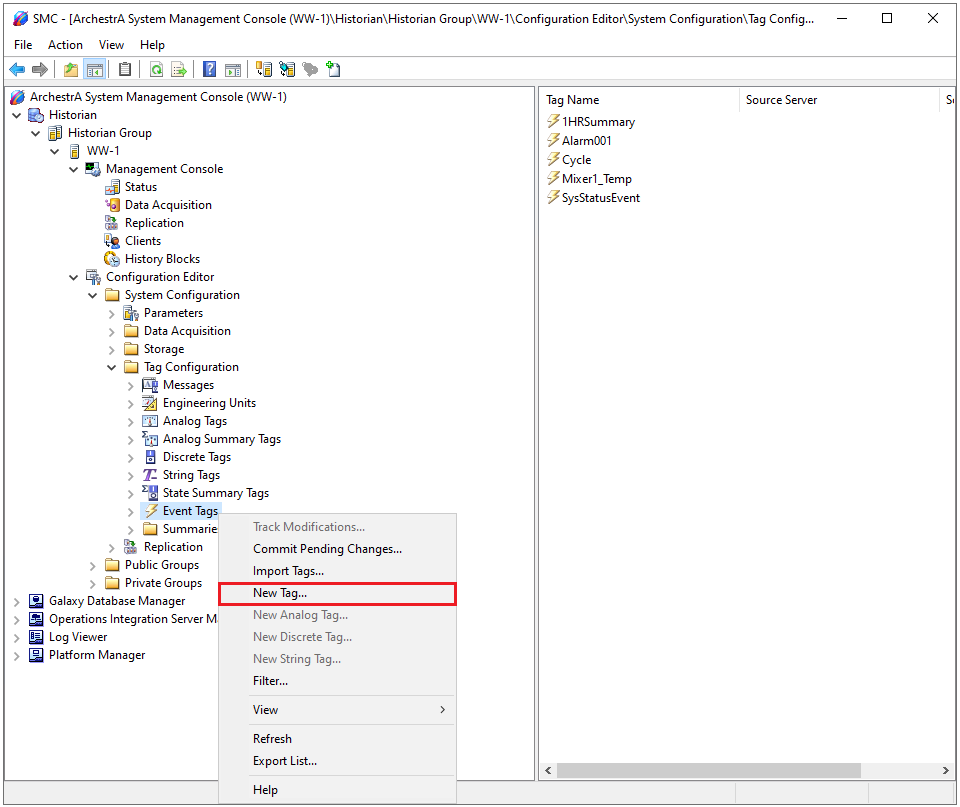 |
Expand Historian, Historian Group, the Historian machine name, Configuration Editor, System Configuration, Tag Configuration.
Select Event Tags, right-click, and select New.
In New Event Tag assign a Unique Tag Name.
On the General wizard page assign a Description and Priority.
On the Detector page, set Detector Type to Schedule.
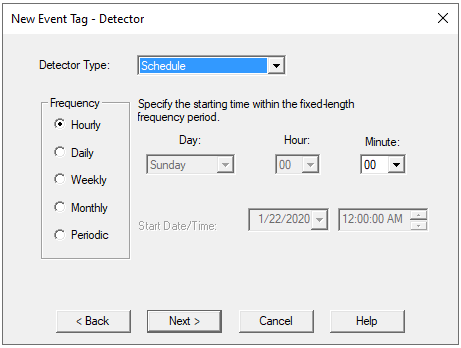
On the Action page, set Action Type to Summary.
The Action wizard is used to select the tags to summarize.
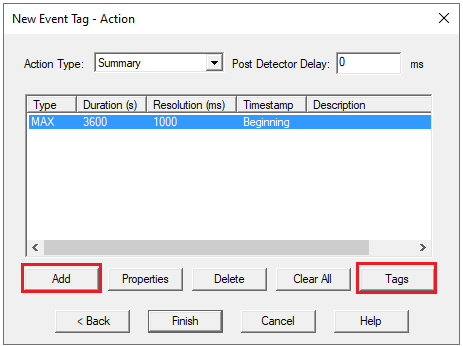
Click Add configure summary calculations.
Click Tags to assign the tags to be summarized.