Scheduling
Windows Service
If XLReporter’s Scheduler is set to Run as a Service, RSLinx must also be configured to start as a service.
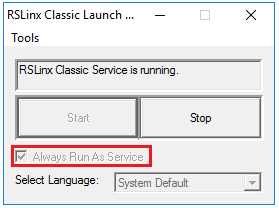 |
From the RSLinx program group, open the RSLinx Launch Control Panel. Verify Always Run As Service option is checked. If it is not, click Stop, enable the option, and click Start.