Connector
To configure the connector to AVEVA Historian Alarms, from the Project Explorer select Connect, Connectors.
Click Add
Select AVEVA, AVEVA Historian Alarms
Click OK
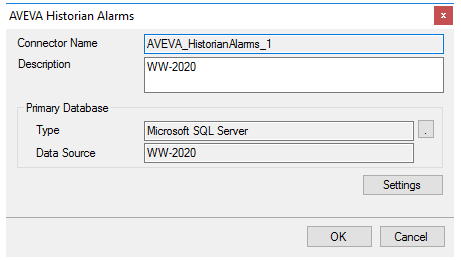 |
Primary Database
This setting defines the SQL Server connection where the AVEVA Historian Alarms are configured to log to. Use the browse button […] to define the database connection.
Since AVEVA Historian 2014 R2, the AVEVA Historian has stored its alarms in the Runtime database by default so that is the default Database available when defining the SQL Server connection. If the version of AVEVA Historian is before 2014 R2 or if the Classic Event subsystem has been configured to use the A2ALMDB database, change the Database setting accordingly.
Settings
The Settings button opens the Settings dialog that defines characteristics of the database that are used to retrieve data.
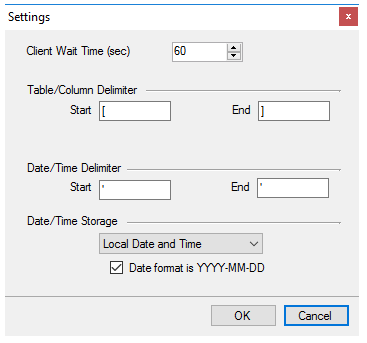 |
Typically, these settings are defaulted correctly for SQL Server.