How to activate an XLReporter license
Version 16 and above
XLReporter product registration has changed with the version 16 release. XLReporter can now be registered by using the SmartSights self-service portal, giving you the flexibility to complete XLReporter product registration whenever you need to.
In addition, moving registration from one machine to another can also be done whenever you need to using the self-service portal.For details on how to register XLReporter, see Product Registration.
Version 15 and below
To register your product:
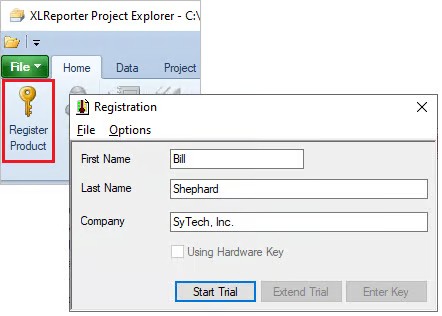 |
Open Registration from the Project Explorer and select Start Trial
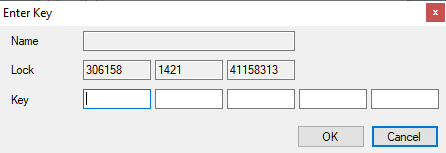 |
Open Registration from the Project Explorer and select Enter Key
Complete the Software Registration form referencing serial number xxxxx along with the Lock Code
Enter the key provided by SmartSights below the Lock Code
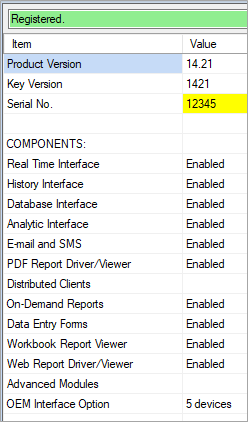
After registering your product, the right side of the project explorer will show Registered and it will list the Version Number, your Serial Number, as well as all the interfaces that your license has enabled.
 |