By Value
The By Value function evaluates the Criteria specified and if it is satisfied, triggers the Action specified.
Settings | |
|---|---|
Action | The Action to trigger if the Criteria is satisfied. This can be UpdateBook, UpdateSheet, UpdateGroupBook or UpdateGroupSheet. |
Worksheet | If the Action is set to UpdateSheet or UpdateGroupSheet, the Worksheet must be set to the name of a worksheet in the template. |
Group | If the Action is set to UpdateGroupBook or UpdateGroupSheet, one or more Group numbers must be specified. For multiple groups, separate each with a comma. |
Criteria | The condition to check and trigger the Action if satisfied. Up to 2 conditions can be specified each of which can evaluate the value in a cell. This is specified by using the Filter Browser (see Filter Range). |
Case Sensitive | If the Criteria is text based, set this to Yes to consider case when evaluating. |
Example
A daily report template is configured to retrieve the maximum temperature for a tank over the day. If that temperature is greater than 95, a second report must be generated to show all the alarms for that tank over the day otherwise only the daily tank worksheet is needed.
To accomplish this, the template workbook contains two worksheets: one for the daily tank maximum (Data) and the other for the alarms (Alarms).
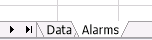 |
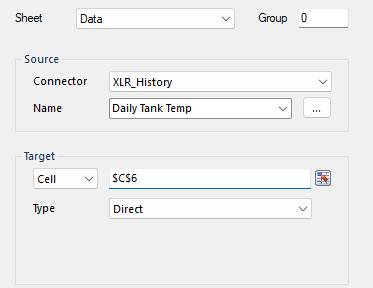
A history group is configured to retrieve the daily maximum of the tank with Sheet set to the Data worksheet.
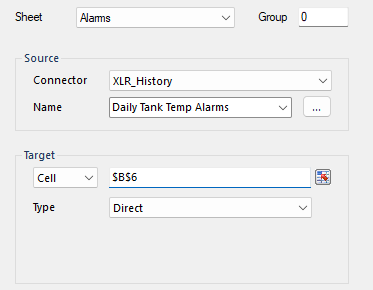
Another group is configured to retrieve the daily alarms for the tank with the Sheet set to the Alarms worksheet.
For the Data Management, a By Value function is configured.
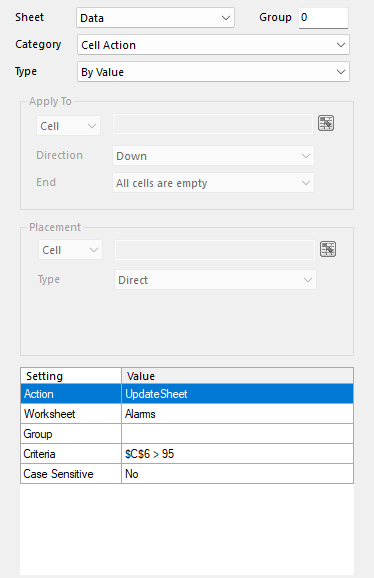
Sheet is set to Data with the Action set to UpdateSheet and the Worksheet set to Alarms. The Criteria is set for the cell where the daily maximum is written so that the Alarms worksheet is only updated if that value is > 95.
In order to only show the Alarms report if this criteria is reached, first the Alarms worksheet is hidden in the template workbook. Then, in Report Names:
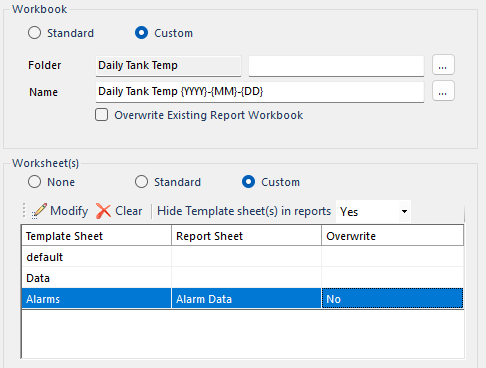
The Alarms template worksheet has its Report Sheet configured as Alarm Data. This means that if the Alarms worksheet is updated, it creates the Alarm Data worksheet, makes it visible, and writes the data to it. Since the Alarms worksheet can only be updated if the criteria is met, this report worksheet is only generated if the value is > 95.
To generate this report the following action is scheduled:
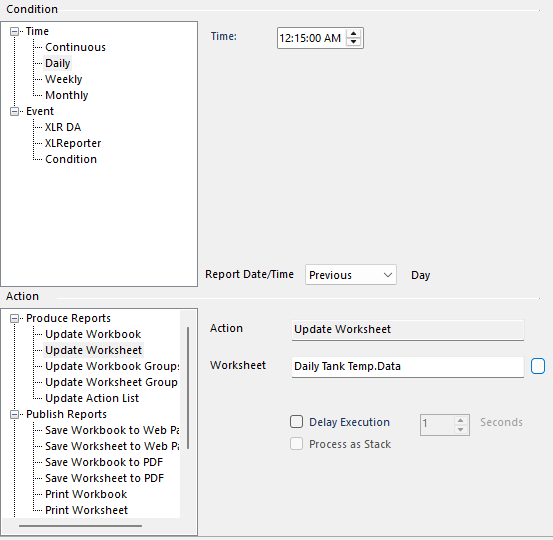
Notice that only the Data worksheet is scheduled to update.