Duplicate Range
The Duplicate Range function performs a duplication of layout content containing the formats and/or formulas of the Source range to the range starting at the Target cell specified.
The extent of the duplication is determined by a combination of the Source range size and the Method specified in the Setting.
For example, suppose the Source range is three columns wide by six rows high and the Method is Across as follows:
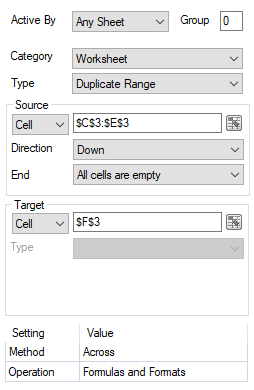 |
When this connection is processed (usually after a data connection has placed content on the report), the Source range is determined by starting at C3:E3 and expanded Down until All cells are Empty. The determined Source range is then copied to the Target Cell repeatedly Across the data until empty cells in three columns and six rows is reached i.e., the size of the Source.
Settings
Method
The Method specifies the direction used to determine the Target starting at the Target Cell.
Operation
The Operation indicates the elements of the Source range to duplicate to the Target.
Formats
Duplicate the cell formatting from the Source including (but not limited to) Number Formats, Font settings, Borders, Conditional Formatting and Data Validation.
Formulas
Duplicate any formulas from the Source to the Target using the same relative cell location.
Example
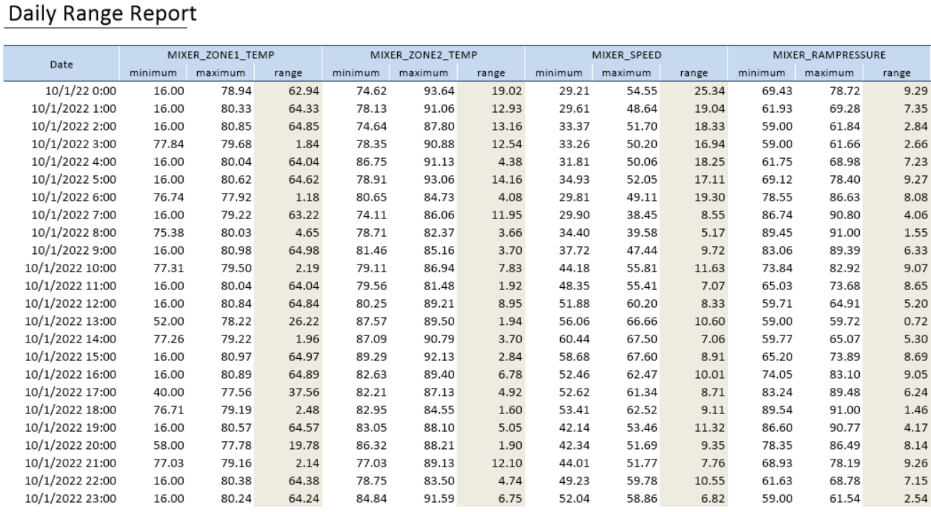
A template is configured for a user to select up to twelve tags from a historian to create a daily report. For each tag, the hourly minimum and maximum values are shown and on the report with the difference (delta). The template would look something like the following.
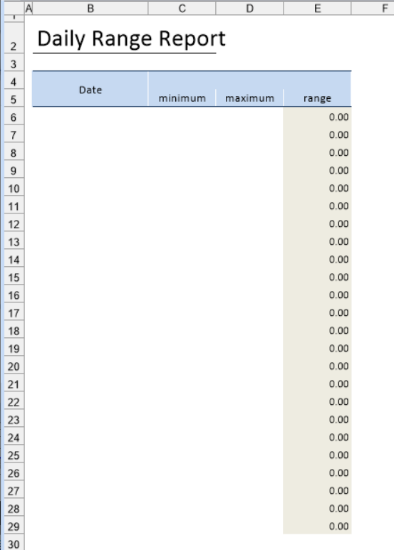 |
In the above, the E column contains a formula for the difference between the maximum and minimum. A history data group is used for values, connected Directly to cell $B$4.
The Column setting of the history group is:
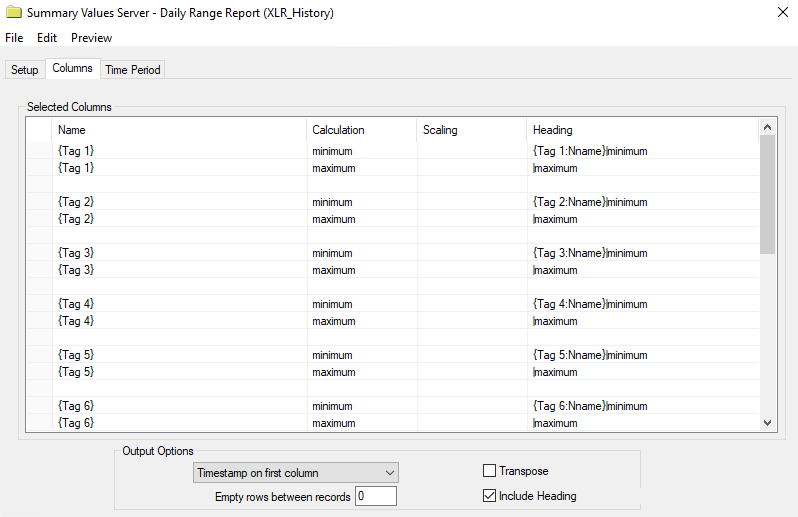 |
Note the empty row prevents the difference formula from getting overwritten.
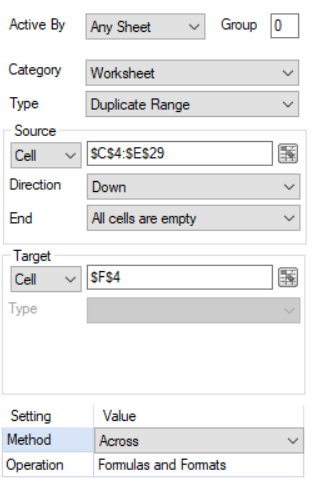
The template is set up with formatting in the range C4:E29 and a Duplicate Range function is used to duplicate the formatting and formulas in this range across for the first tag to all the other selected tags.
Settings
 |
Results
The completed report would look something like the following:
 |