Web Portal
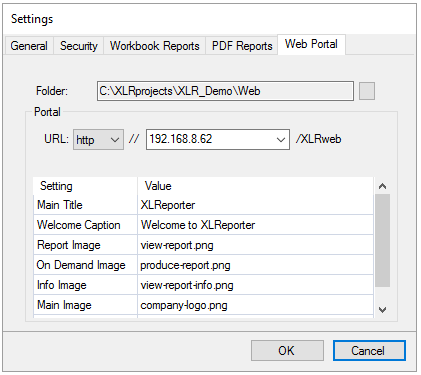 |
Specify the Folder where reports in Web (HTML) format are saved. When selecting the Folder, if the last folder is not named Web, a Web folder is appended to the Folder path.
If this is a Distributed edition, if the Folder is changed, you are prompted for administrator rights to update the web portal. If you cannot provide these rights, the change to the Folder is reverted.
For the Distributed edition, the Setting section provides configurable settings for the web portal. This section is disabled for the Local edition.
URL displays the entire URL to navigate to with a web browser to access the Web Portal. The http or https protocol can be specified here. If the system has more than 1 IP address, this setting can be changed to the IP address which allows for connection. If the portal is running under a specific port, the port number can be specified as IPAddress:PortNumber, e.g., 192.168.8.86:81 for port 81.
Customization
The other settings available are to customize the look and feel of the web portal. For more information, see the Web Portal document.