Verify the Alarm Data
To check that alarms are logging, open the Historian Interactive SQL utility from the Historian program group.
Log into the Historian.
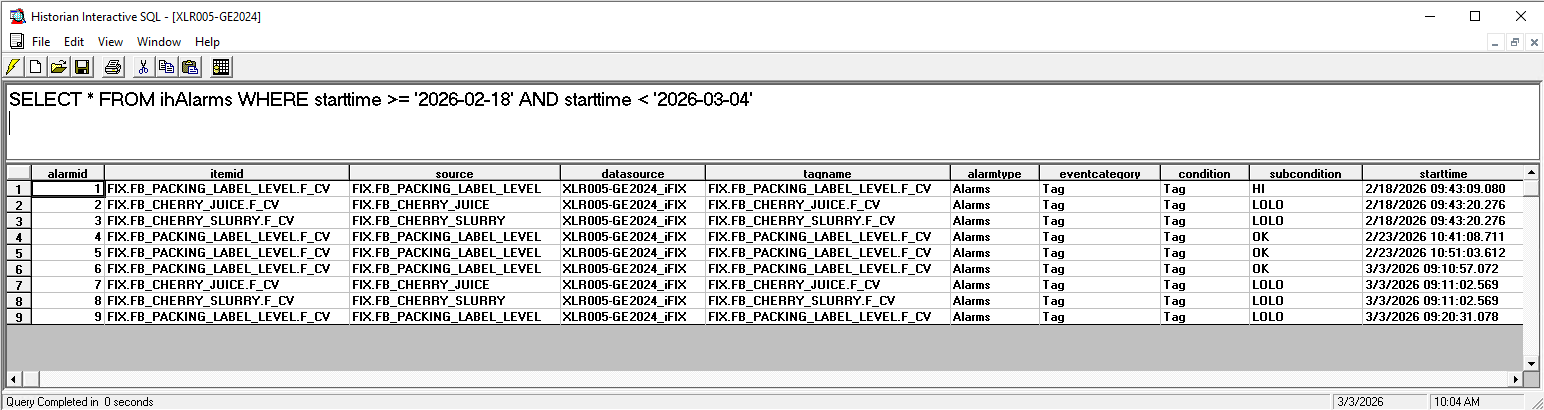
At the top, enter the following query:
SELECT * FROM ihAlarms WHERE starttime >= ‘START DATE’ AND starttime < ‘END DATE’
Click the
 button to execute the query
The query should return any records logged to the ihAlarms table in the SQL Server database.