Connector
To configure the connector, from the Project Explorer select Connect, Connectors.
Click Add
Select Schneider Electric Software, EcoStruxure Geo SCADA Historical values
Click OK
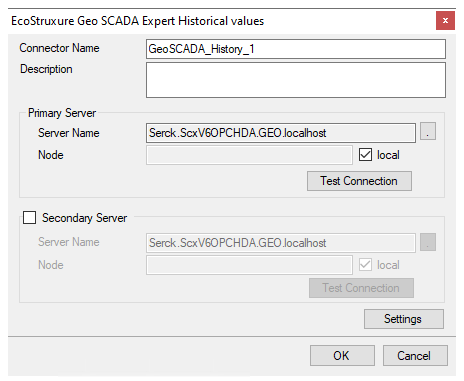
Primary Server
These settings define the Name and Node of the OPC HDA server. For Name, click the browse pushbutton […] to browse the list of OPC HDA servers.
For Node, leave local checked and click Refresh. Select the Server that starts with Serck.ScxV6OPCHDA and contains the System Name as defined in the Geo SCADA Expert Client.
Use the Test Connection button to verify a connection to the server.
Settings
For information on the specific settings, see the DATA CONNECTIVITY, OPC document.