InTouch Configuration
To set up data logging, from the AVEVA InTouch HMI program group, open InTouch Window Maker.
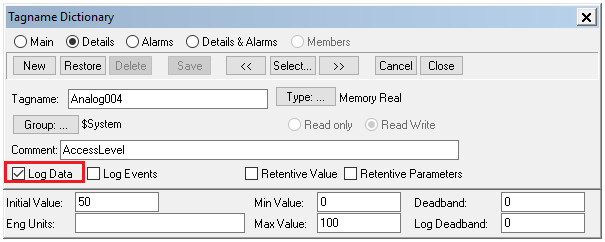
From the top ribbon menu in WindowViewer select Special, Tagname Dictionary.
For each tag that requires historical logging, check the Log Data option.
In the InTouch Window Maker menu, select Special, Configure, Historical Logging to open the Historical Logging Properties window.
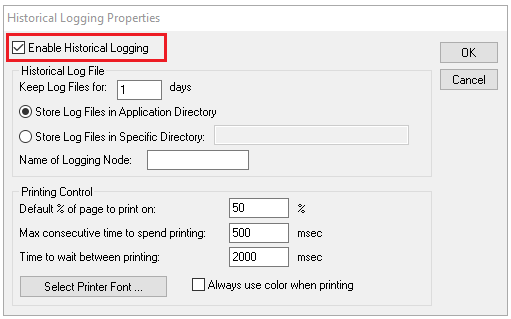
Check Enable Historical Logging. Historical log files have the file extension *.lgh.
InTouch WindowViewer
In order for historical data to log, WindowViewer must be in a running state. If it is not already running, from the AVEVA InTouch HMI program group, open WindowViewer.