Text Range to Column
The Text Range to Column function splits up the values (numbers or text) in the Apply To range based on the Delimiter.
The Apply To Range only operates on a single column of data. The Placement defines where the first split value is placed when the function is executed. Subsequent split values will appear in columns adjacent to the Placement.
Settings | |
|---|---|
Delimiter | The text by which to split each cell in the Apply To range. A list of common delimiters is provided. If the Delimiter required is not listed, it can be manually entered in for the setting. |
Example
Break the text in the B column based on the backslash (\) delimiter.
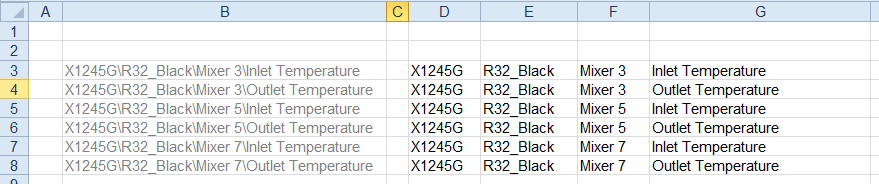 |
Apply To | |
|---|---|
Cell | $B$3 |
Direction | Down |
End | All cells are empty |
Placement | |
|---|---|
Cell | $D$3 |
Type | Direct |
Setting | Value |
|---|---|
Delimiter | \ |