Connector
To configure the connector, from the Project Explorer select Connect, Connectors.
Click Add
Select Rockwell Automation, PanelView Plus Historical Values
Click OK
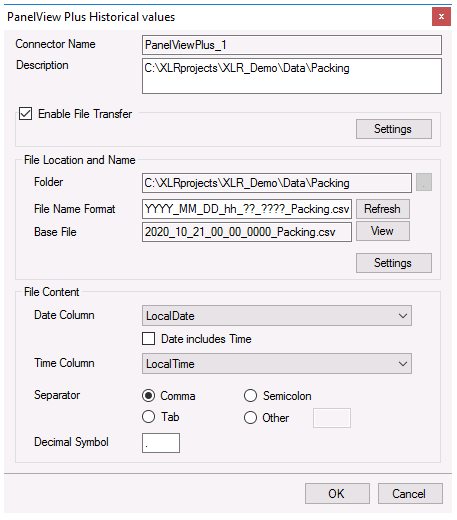 |
Note
Please note a separate Data Connector is required for each PanelView Plus terminal used.
For details on all the settings of this connector, see the Text File Historian section of the Text File document.
Since the text files for this connector are generated on the PanelView Plus station, the Enable File Transfer option should be checked and configured to download the text files periodically from the PanelView Plus station either through the configured FTP Server or Local Network.
If the format of the Date Column does not match the date format of the Windows Operating System, the format needs to be specified explicitly. This is done by clicking the Settings button under File Location and Name and under the [consolidated.csv] settings, adding:
DateTimeFormat=MM/dd/yyyy hh:nn:ss
The setting above indicates that the date format for the Date Column is US format.