Verify Data Communication
To verify communication with the Alarms and Events Server, open the Project Explorer and select the Tools tab.
Open Connector Groups
Select the GE Alarms connector and then select Add.
Set the Group Type to Raw Values and click OK.
Under the Columns tab, Select the first row under the Name column:
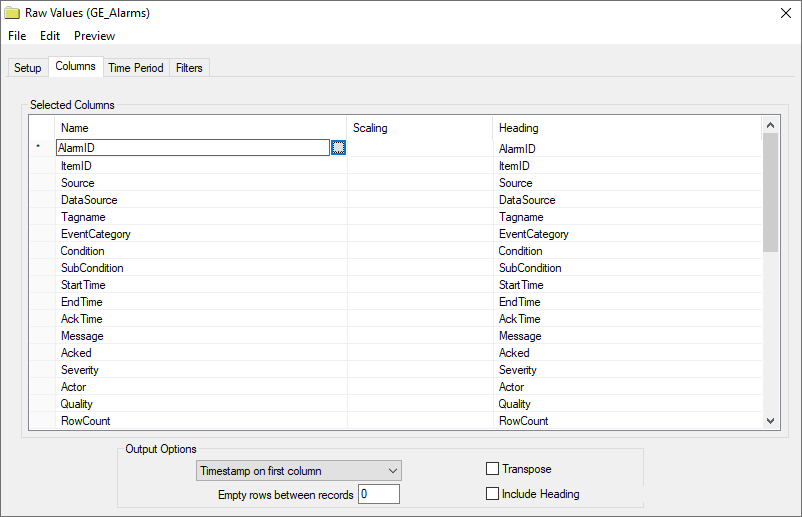
Click the browse pushbutton ([…]).
In the Tag Browser expand Online, ihAlarms and add Items from the lower left.
Click OK to add these to the group.
To retrieve data, select Preview. In the Preview window, use the data picker to select a date and time where alarms are recorded in the database. Click Refresh to view data. The first 60 alarms starting at the date and time specified should be displayed.
Group Settings
Filters Tab
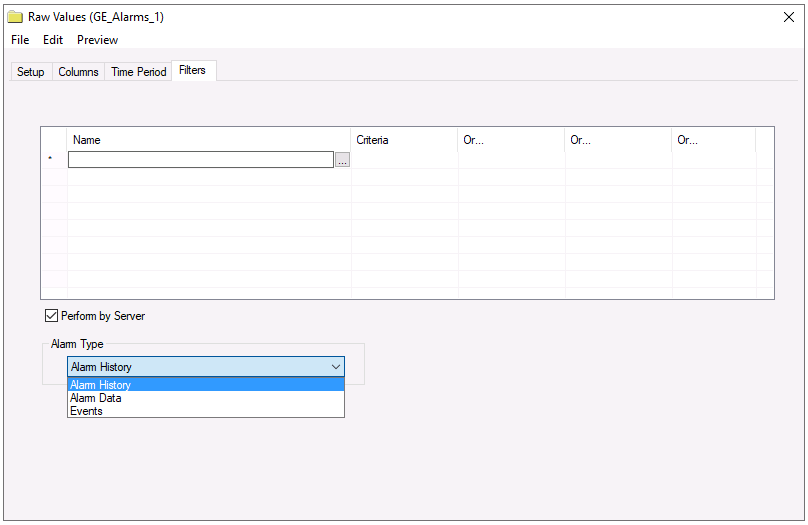 |
If the Perform by Server option is checked, any filter configured in this tab is put into the WHERE clause of the query sent to the database to retrieve data for the group. Otherwise, the configured filtering is performed by the reporting engine after the values are returned. It is recommended to leave this setting checked as the performance is much better.
The Alarm Type defines how the alarms are returned from the Proficy Historian.
Alarms returns an entire alarm life cycle as a single record.
Alarm History returns separate records for every alarm transition.
Events returns the simple and tracking events.
For more information, see ihAlarms in the Proficy Historian documentation.