Prerequisites
Verify Communications
To verify communication from AVEVA Edge, a generic OPC test client is provided to test the OPC Server.
This client can be downloaded from www.SmartSights.com.
To open, double-click SampleClientDA.exe. This opens the OPC Quick Client window.
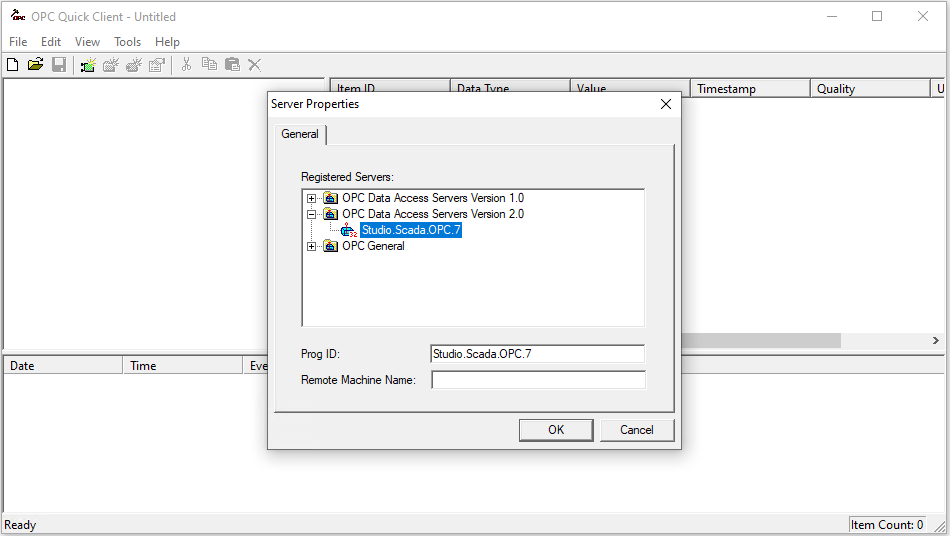 |
To connect to an OPC server, select Edit, New Server Connection to open the Server Properties window. Select the AVEVA Edge OPC server and click OK.
Once the connection is made, select Edit, New Group. Specify Name and click OK.
Click on the group name created, and select Edit, New Item. This opens the Add Items window. Browse for tags and double click any to select. Once tag selection is complete click OK to return to the OPC Quick Client window.
All the selected tags appear along with their real time values, type, quality, and timestamp.
If at any point you experience an issue with this client, contact AVEVA technical support to troubleshoot and correct these issues.