Scheduler Startup
The XLReporter Scheduler is used to process reports automatically in the background. The scheduler can be configured to start from an InTouch Script so it starts when the HMI is started.
To configure an InTouch script, open InTouch WindowMaker from the AVEVA InTouch HMI program group in the Start menu. Scripts configured in WindowMaker run when the HMI application is started in WindowViewer.
From WindowMaker, the most straightforward approach is to use a QuickFunctions script with an On Startup condition.
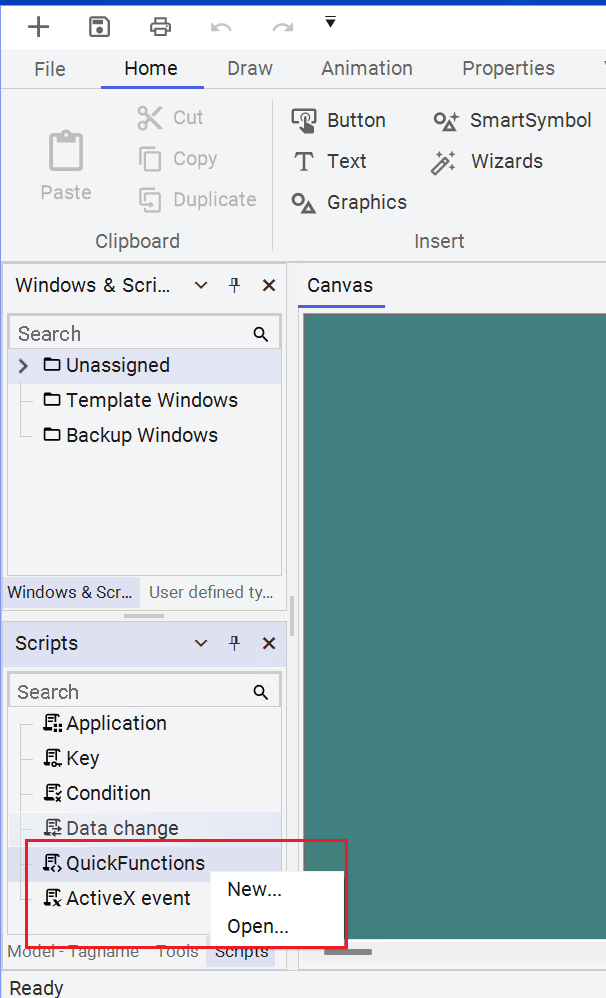
Right click QuickFunctions in the lower left corner of the Window Maker and select New...
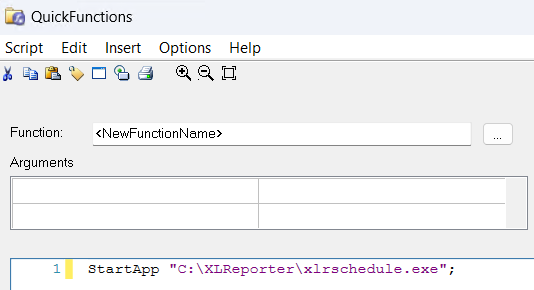
The script syntax to start the Scheduler is:
StartApp "C:\XLReporter\xlrschedule.exe";