Data Entry Form Database
This connector is used to define the database where Data Entry Forms are logged and is used to get form data for reporting.
Connector
For details on Data Entry Form Connectors see Design Manual Data Entry Forms.
 |
Data Group
The following describes the historical data group settings specific to the connector.
Group Types
The following Group Types are available:
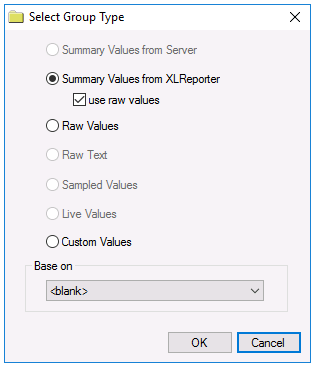
Summary Values from XLReporter retrieves sampled values logged from the form and performs calculations on those values for reporting.
Raw Values retrieves every value logged to the form between the start and end time specified.
Custom Values opens the Database Group builder where a query can be configured to retrieve data from any table in the database.
Note
By default, summary values are calculated time weighted, and values are propagated based on the last known value. However, to change this so that summary values are calculated strictly on the data returned check use raw values.
Group Settings
The following settings are available under the Setup tab:
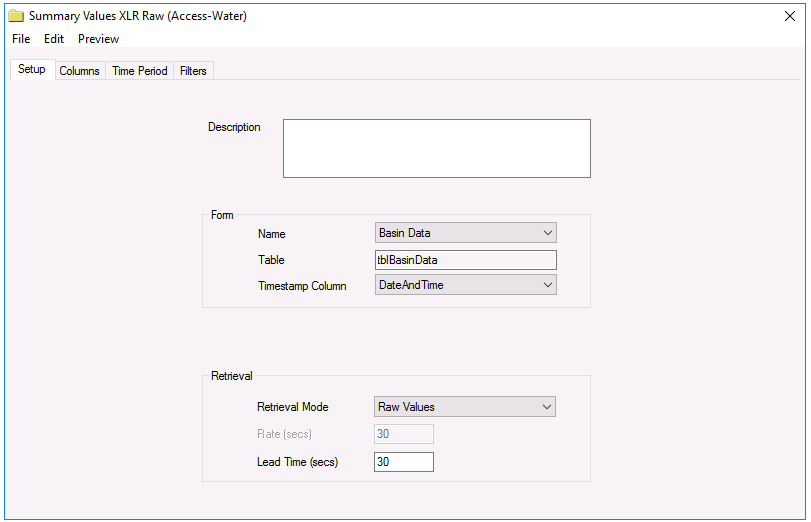 |
The Form section defines which Form Name is used for the selected Columns. Every form template configured in the project is listed.
For Summary Values from XLReporter groups, the Retrieval settings define how data is retrieved for the calculations selected for the group. The following settings are available:
Retrieval Mode defines how data is retrieved from the historian. Only Raw Values are available.
Lead Time defines the amount of time (in seconds) to retrieve data before the start time.
Verify the Data Connector
From the XLReporter Project Explorer , select Connect, Connector Groups
Select the Data Entry Form connector and then select Add
Set the Type Raw Values and click OK
On the Setup tab, select a Form Name that has data entered for it
On the Columns tab of the group, select the columns to read
Select Preview, pick a Start date and click Refresh