Set up VTScada
The VTScada OPC server must be configured in the VTScada application to connect and retrieve values from the application.
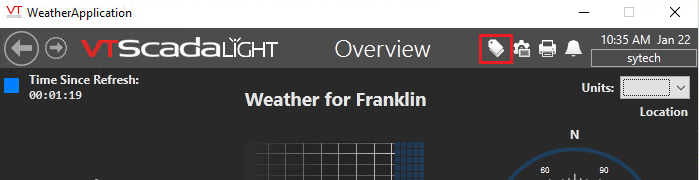 |
In the VTScada Application, open the Tag Browser

Click New at the bottom of the Tag Browser.
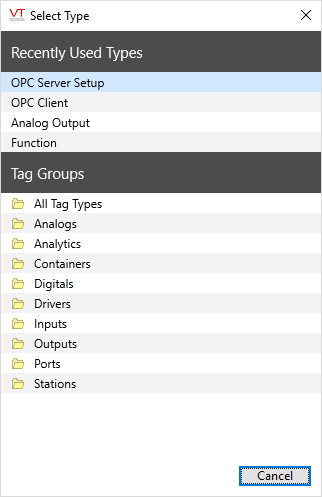
Set the Type to OPC Server Setup
Click OK.
Under the ID tab, enter XLR for the Name
Under the Settings tab enter XLR for the Server Namespace.
Click OK.
Restart the application to complete the setup.
Configure a User Account
The VTScada application must be secured with a user name that has internet client access privileges.
 |
To access these settings, select the Application Configuration  button from the VTScada Application Manager
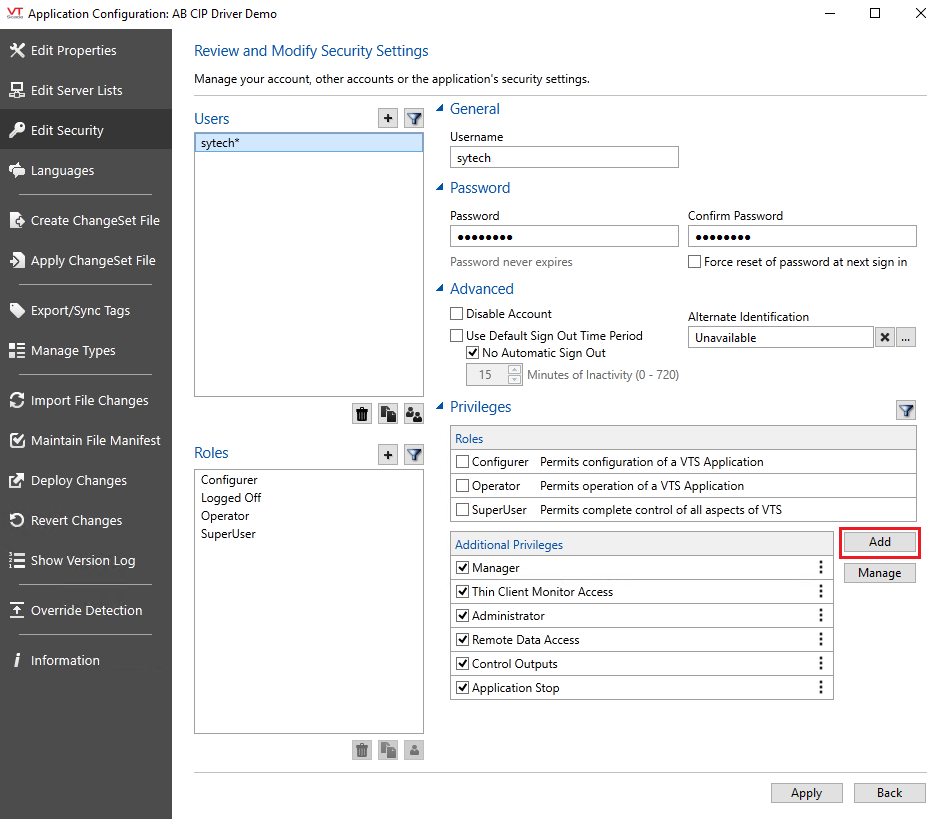 |
In the Application Configuration, select Edit Security on the left.
Select the user to edit
Select Add on the right.
Under Page Access, choose Thin Client Access or Thin Client Monitor Access depending on your version.
Click OK.
Click Apply to save the changes.