Scheduler Settings
From then menu option, select Scheduler, Settings.
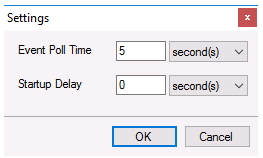 |
Event Poll Time
The Event Poll Time is the rate at which event schedules are scanned to determine if the trigger condition is satisfied.
When configuring this setting be conscious of the Initial Wait setting configured for any real time connector being used for event triggering. Initial Wait setting is the amount of time (in milliseconds) the Connector waits after making a request and before retrieving data. This can be useful for communications that do not respond immediately.
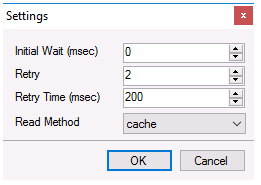 |
For example, if the Initial Wait is set to 1000 milliseconds the minimum Event Poll Time that should be set is 2 seconds because there is a 1 second overhead whenever data is read from the connector.
Startup Delay
When the Scheduler is started, it immediately connects to any connectors that have been configured. This behavior may cause problems for certain connectors in which case the Startup Delay is used to make the Scheduler wait before connecting.