Verify Data Communication
To verify communication to KEPServerEX, open the Project Explorer and select the Tools tab. Launch the System Check application.
Click Add
Choose the KEPServerEX Connector from the dropdown list
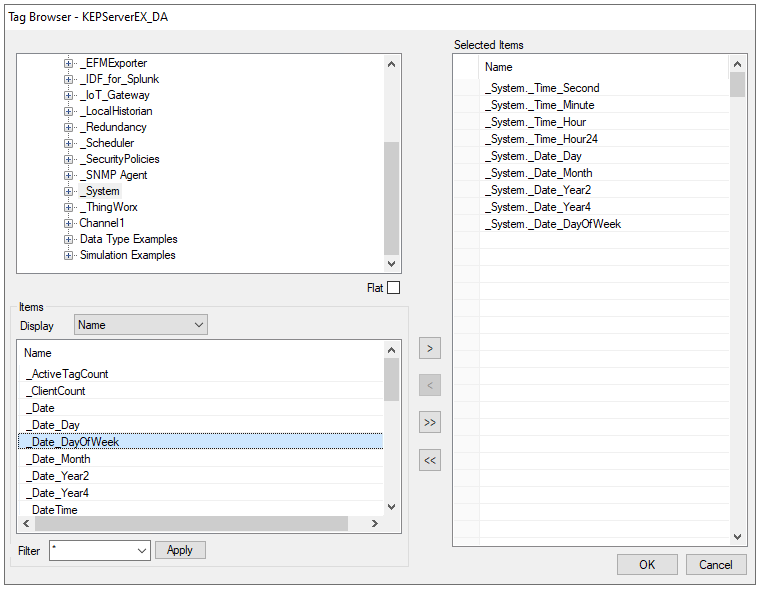
Click the pushbutton ([…]) next to Items to open the Tag Browser window.
Select one or more tags and click OK
Click Start to verify the communication
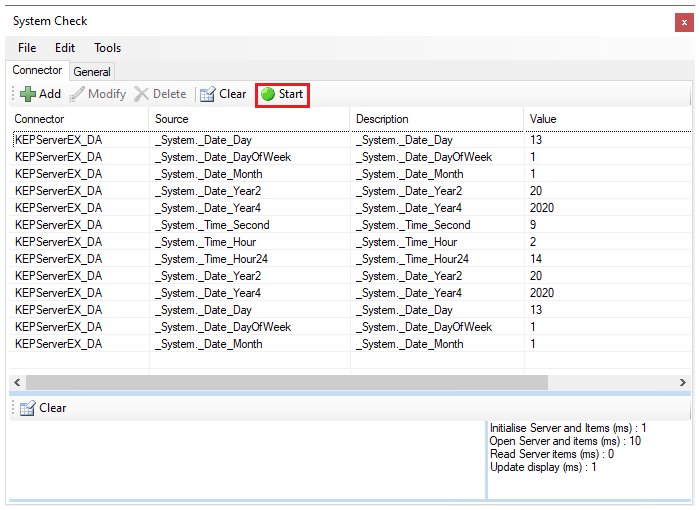
Click Start to verify the communication.