Memory Variable
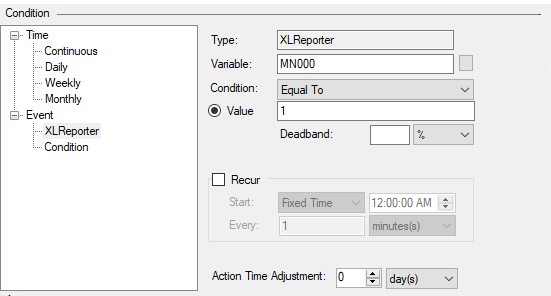
Memory Variables hold system information, numbers and text in memory but only persist until the system is restarted or the XLReporter Runtime service is restarted. These variables can be used as Event Based schedule conditions, where a particular memory variable is monitored for a specific value or change in value that in turn triggers the run of the specified schedule action.
 |
The Memory Variable types provided are:
System
Number
Text
Memory variables can be set by using a Set action or by using the Data Management, Data Export To Variables and To Variable List functions.
System
System memory variables are preexisting values in all XLReporter projects. They are values generated by the process (e.g., Schedule Action Durations) that can be used to trigger events when a certain process or metric is out of compliance. For example, if an action is taking too long to process, an email can then be sent to notify an operator that the system needs attention to correct this. The following are available:
Error Date
The timestamp of the last error
Error Date Adjusted
The timestamp of the last error with the Scheduler Action Time Adjustment applied.
Error Code
The numeric error code of the last error.
Error Action
The action that triggered the last error.
Error Message
The error message of the last error.
Longest Action Duration
The duration (in seconds) of the longest action of the last 10 actions executed.
Longest Action
The action that took the longest of the last 10 actions executed.
Longest Action Date
The timestamp of the longest action of the last 10 actions executed.
Schedule Action Pending Count
The number of actions currently pending in the Schedule action queue.
Schedule Action Pending %
The percentage of actions currently pending in the Schedule action queue (note that the Schedule action queue can hold up to 256 actions at one time).
Analytic Action Pending Count
The number of actions currently pending in the Analytic action queue.
Analytic Action Pending %
The percentage of actions currently pending in the Analytic action queue (note that the Analytics action queue can hold up to 256 actions at one time).
Current Action Duration
The duration in seconds since the current action was initiated.
Note that the Current Action Duration can be used in a schedule as a Condition to trigger an action
For example, when Current Action Duration > 30 secs, send an email.
When the condition is triggered, the action is performed and so in the above example the email is sent. In addition, the current Action (which caused the trigger) is ended. For more information, see Deploy Scheduled Reports.
Number
A Number type memory variable can hold whole numbers ranging from -2,147,483,648 to 2,147,483,648. Decimal values will be truncated to only include the whole number portion of the decimal. There are 32 number variables available.
Text
A Text type memory variable can hold up to 64 characters. The following are illegal characters and cannot be pushed to Text Memory variables: Semicolon (;) and Tilde (~). There are 32 text variables available.