Prerequisites
Verify Communication
Communication between the OPC server and an OPC client must be verified. Some OPC Server vendors like Kepware and Rockwell Automation provide OPC clients with their servers. These clients can be used to validate in the same way as the client described below.
If an OPC client is not provided with the server, XLReporter provides an independent OPC client to verify connectivity and data retrieval from any OPC DA server. This client can be downloaded from www.SmartSights.com.
To run, double-click SampleClientDA.exe.
To connect to an OPC server, select Edit, New Server Connection to open the Server Properties window.
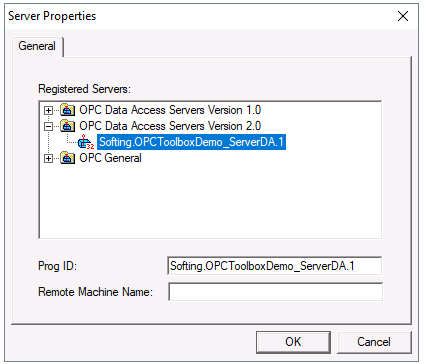 |
Expand the OPC Data Access Servers Version 2.0, select the target OPC DA server and click OK.
From the Edit menu select New Group.
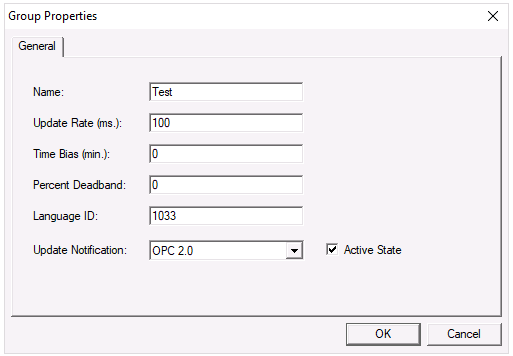 |
Specify Name and click OK.
Click on the group name created, and select Edit, New Item.
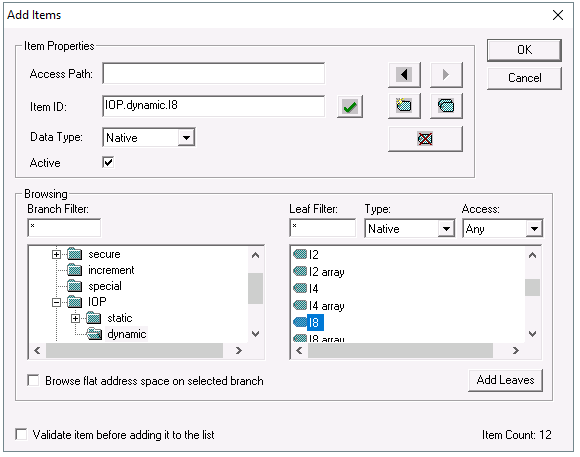 |
This opens the Add Items window. In the browsing section drill into the tree and select Leaf items on the right. For each leaf you want to view data for, click the Add Leaves button. Click OK when you have selected the tags to read.
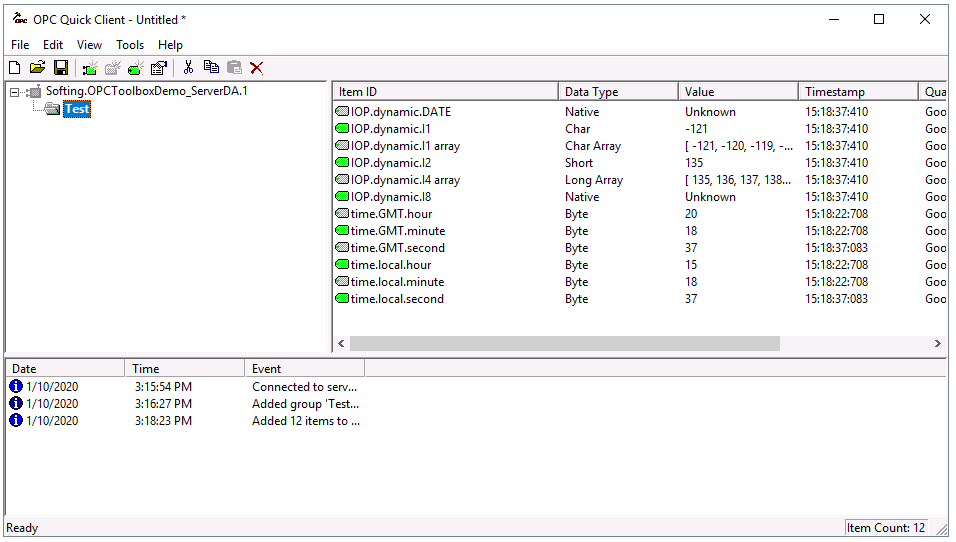 |
All of the selected tags appear along with their real time values, type, quality, and timestamp.
If the client does not respond as described contact the OPC DA Server vendor technical support to troubleshoot and resolve the issues.