Data Group
To extract data from the text file, a data group is used. A quick method of configuring a group is from the Project Explorer, Tools, Connector Groups.
Group Types
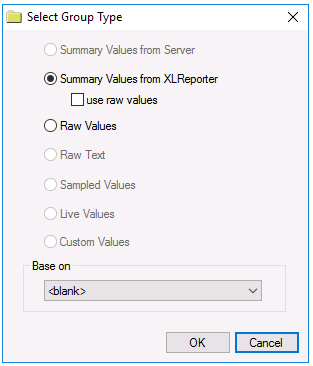 |
The following group types are available:
Summary Values from XLReporter
This type delivers calculated aggregates from the from the text file such as hourly averages over a duration of the file. The group requires a set of columns, calculation types and an interval over which the calculation is performed.
By default, the aggregates are calculated on time weighted values from the file. Check use raw values to change the calculation to raw values from the file.
Raw Values
This type retrieves raw values logged in the text file. The group requires a set of columns.
Time Period Tab
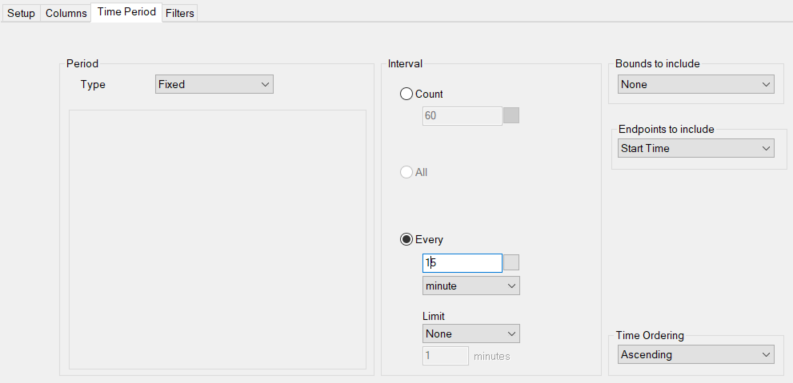 |
For both Summary Values and Raw Values groups, the only Period Type supported is Fixed. This indicates that the start and end are fixed based on the timestamps of the first and last records found in the text file specified.
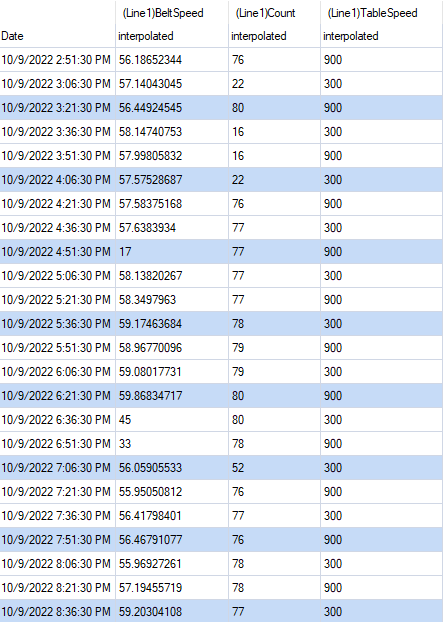
For example, if the first record in the text file is October 9th, 2022 2:51:30 PM and the last record is October 9th, 2022 8:43:30 PM, if the Interval is 15 minutes, the following is returned:
 |