OPC UA Server Setup
To enable and configure the InTouch OPC UA server, open the AVEVA InTouch HMI Application Manager.
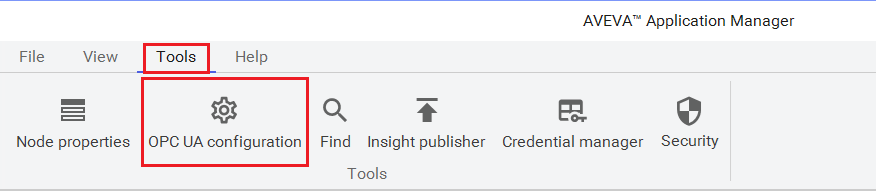 |
Under the Tools tab, select OPC UA configuration.
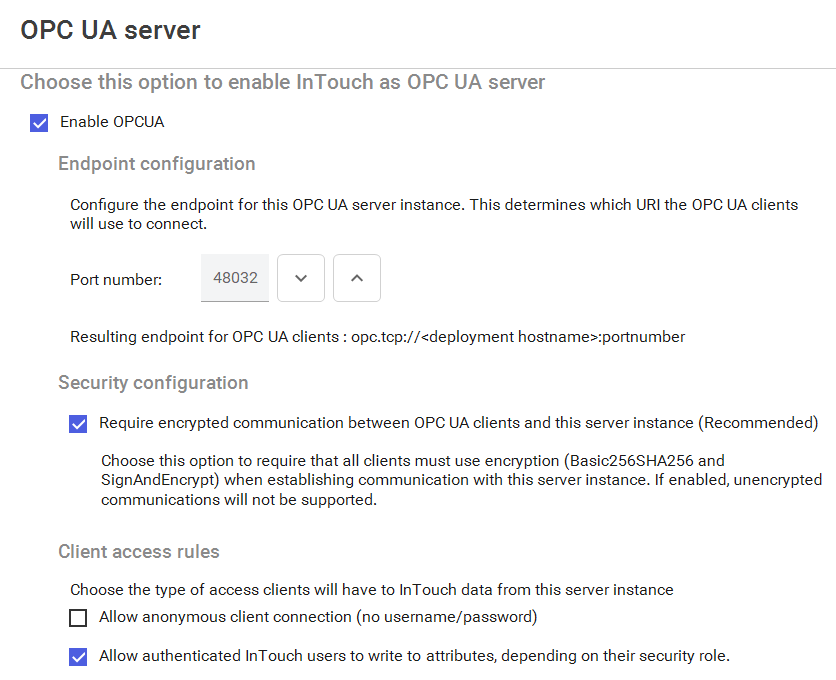 |
Check Enable OPCUA.
By default the Port number is 48032. Change this if needed.
Enable and/or disable Security configuration settings and Client access rules depending on what level of security you want to set for the server. If you want XLReporter to write values to tags in InTouch, be sure to uncheck Allow anonymous client connection and check Allow authenticated InTouch users to write to attributes, depending on their security role.