Set up VTScada
Configure a User Account
The VTScada application must be secured with a user that has internet client access privileges. To access these settings, click the Application Configuration button from the VTScada Application Manager.
 |
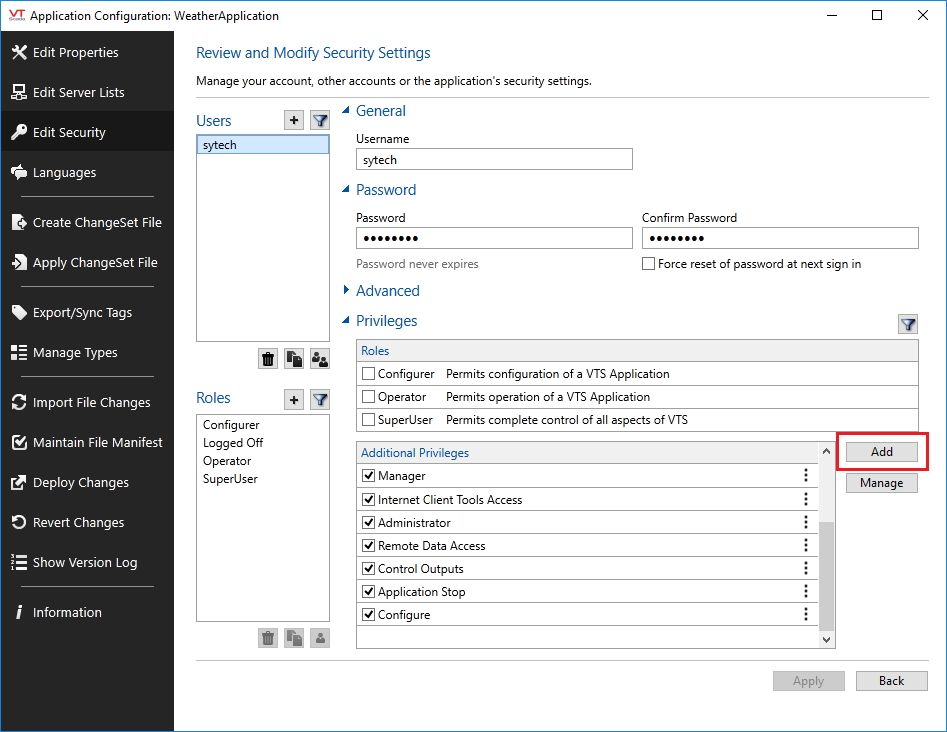
For older versions, a privilege must be added to access alarms. In the Application Configuration, select Edit Security on the left.
 |
Select Accounts
Select the user to edit.
Select Add on the right.
Under Page Access, choose Internet Client Monitor Access.
Click OK.
Click Apply to save the changes.
Configure the ODBC Server
This process is the same as VTScada Historical Values. See the Configure the ODBC Server section in the VTScada Historical values document for details.
ODBC Setup
To access VTScada history data, the VTScada ODBC driver must be installed.
On the machine where access is required, run VTSODBCDriverInstall.exe to install the ODBC driver. This is distributed with VTScada.
Alarm Data Limitations
This limitation is the same as VTScada Historical Values. See the Historical Data Limitations section in the VTScada Historical values section above for details.