Prerequisites
Verify Data Logging
Open the KEPServerEX Configuration from the Kepware program group.
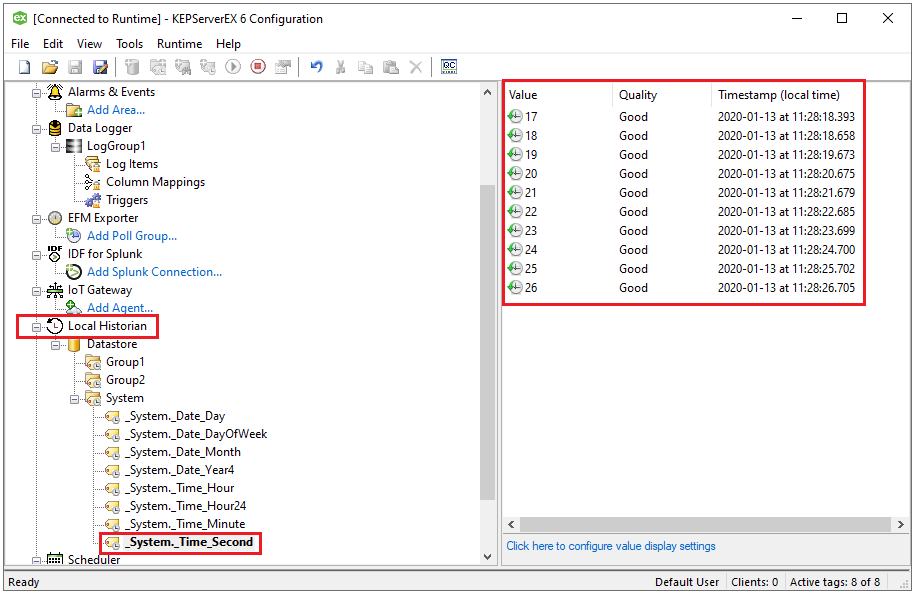
Expand Local Historian, Database, and a specific tag group.
Select a tag and verify it has data on the right side.
If no data is returned, contact Kepware technical support to resolve the issue.