Prerequisites
Verify Database
Open Microsoft SQL Server Management Studio and connect to the SQL Server or SQL Server Express instance set up for the Data Log Model.
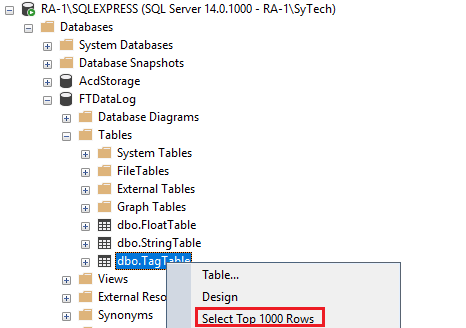 |
Expand Database and then the database configured for the Data Log Model and expand Tables. Right-click the tag and float tables and choose Select Top 1000 Rows.
If no data is returned contact Rockwell Automation technical support and correct these issues.