Set up RSLinx
Define a DDE/OPC Topic
Open the RSLinx Classic control panel from the Rockwell Software program group and select DDE/OPC, Topic Configuration.
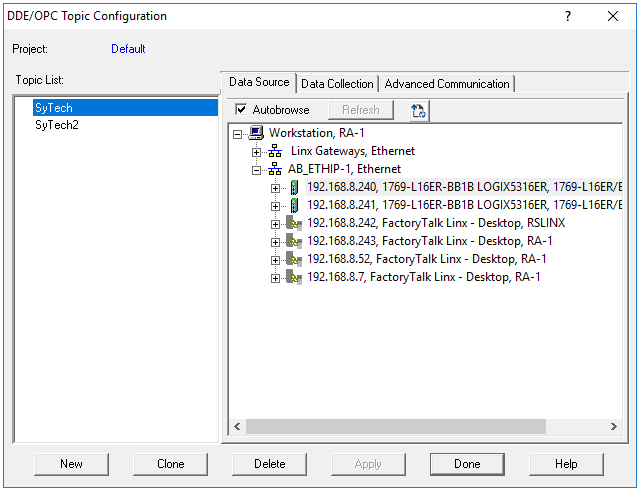 |
Select New.
Enter a name for the topic.
Browse to the target device for the topic.
Click Apply.
On the Data Collection tab, specify the Processor Type.
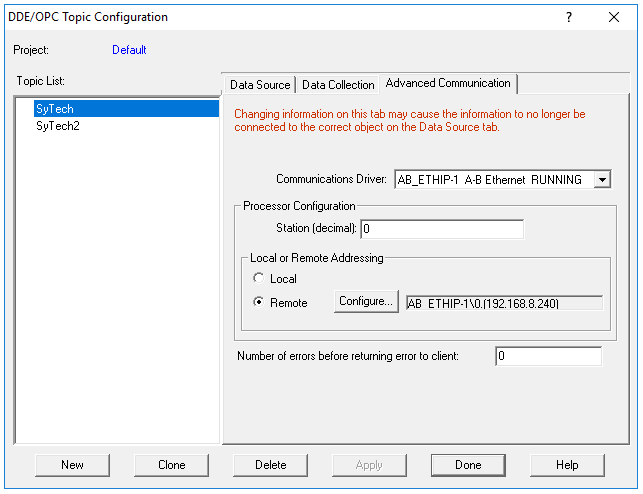
On the Advanced Communication tab, select the settings.
 |