Deploy a Configuration
A configuration is deployed for automatic processing on time or process events from the Scheduler using either the Email a Workbook or Email by a Configuration (see REPORT, Deploy Schedule Reports).
Alternatively, email configurations can be used to manually send emails from the Workbook and On-Demand Reports viewers.(see REPORT, Deploy On-Demand Reports and REPORT, Deploy Scheduled Reports respectively)
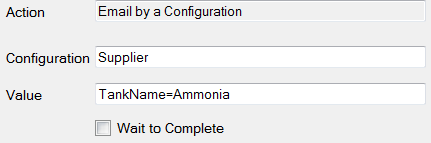
For Email by a Configuration, if Custom Variables are being used (defined in Project Explorer), then their values can also be specified in the form Variable=Value.
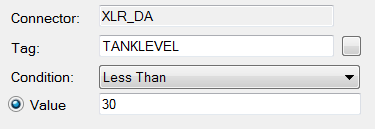
Example: Setup a configuration with the subject “Tank {TankName} level low”. The Variable {TankName} is a custom variable that was specified in Variables. This configuration can be used across all our tanks by assigning the custom variable the value pertinent to a specific tank.
For each tank, set up an event schedule that triggers when the process level falls below 30. Assign TankName and run the configuration to email a text message to the appropriate people.
Configurations can also be deployed from third party applications such as HMI screens, VBA macros, and the windows command line. The syntax to execute a configuration is as follows:
Install\bin\XMailer.exe /f Configuration
Where Install is the full path to the installation and Configuration is the name of the configuration file.