Prerequisites
Verify License
To verify a license for the FactoryTalk Linx Gateway server, open the FactoryTalk Activation Manager.
Under Manage Activations, ensure one of the FactoryTalk Linx Gateway versions mentioned above is listed and a license if available.
Verify Communication
Communication between FactoryTalk Linx Gateway and the PLC can be verified using the OPC test client provided by Rockwell Software.
From the Rockwell Software program group and select the FactoryTalk Live Data Test Client. This client validates the communication and verifies that FactoryTalk Linx is capable of exchanging data with XLReporter.
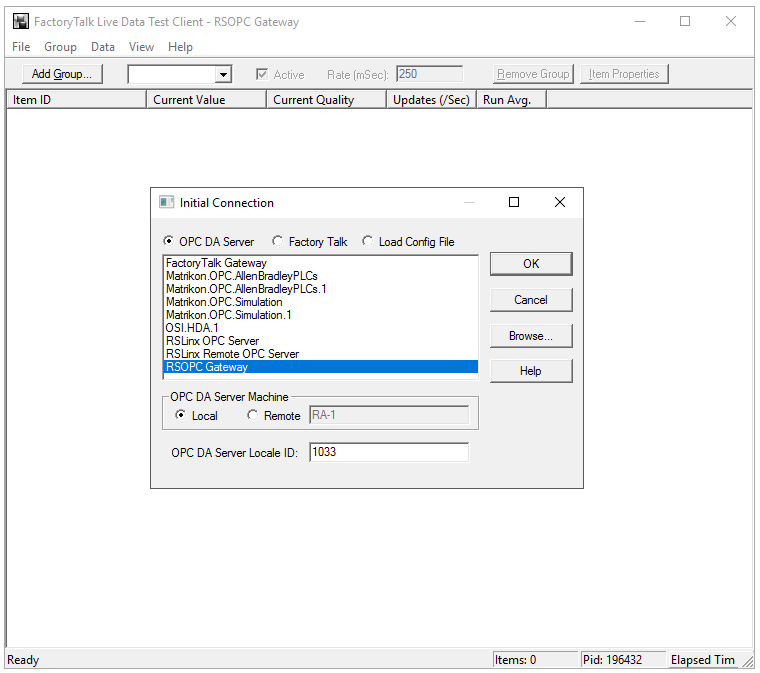 |
Choose RSOPC Gateway or FactoryTalk Gateway and click OK.
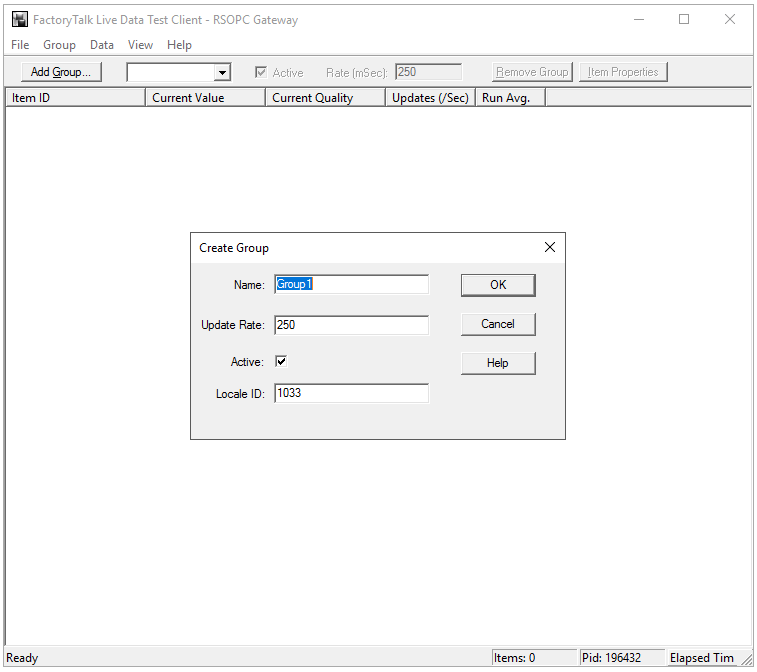 |
Enter a Group Name and click OK.
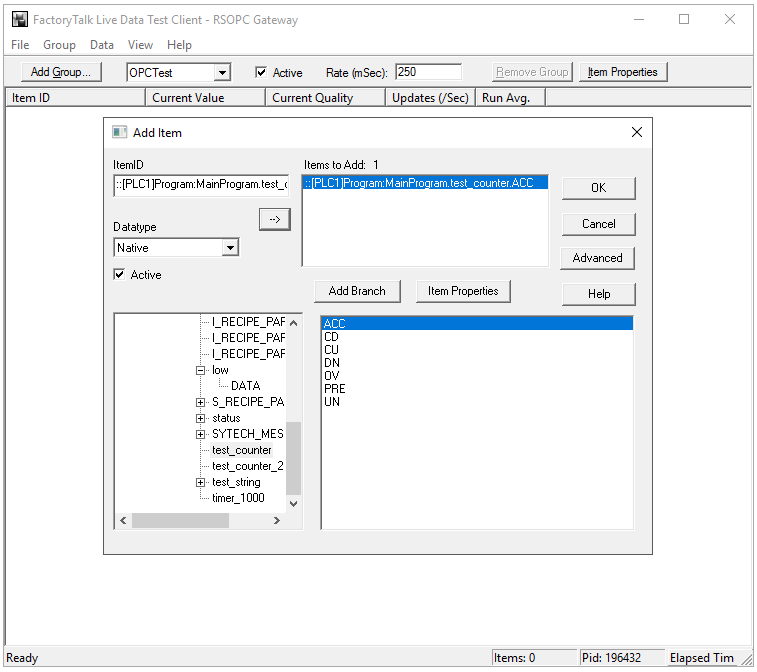 |
Select a tag by navigating in the lower left list, selecting a tag on the lower right list
Click OK to return to the window.
All the selected tags appear along with their real-time values, type, quality, and timestamp.
If the client does not respond as described contact Rockwell Automation technical support to troubleshoot and correct these issues.