Connector
To configure the connector to VTScada, from the Project Explorer select Connect, Connectors.
Click Add
Select Trihedral, VTScada Historical values.
Click OK
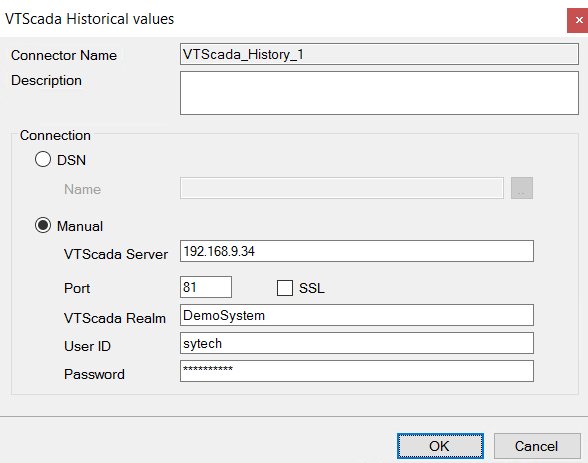
Connection
These settings define how to connect to the VTScada Historian.
DSN
With this option specify the Name of a DSN (Data Source Name) defined within the Windows Operating System that is configured to connect to the VTScada Historian.
It is recommended to specify a System DSN for Name because it will be accessible by any user logged into the machine.
Note, on 64-bit operating systems, the DSN must be defined as a 32-bit DSN. This can be done by following the DSN section above.
Manual
With this option specify all the settings needed to connect to the VTScada Historian.