Data Group
The following describes the historical data group settings specific to the FactoryTalk Optix Data Log InFlux DB Historical Values connector.
Group Types
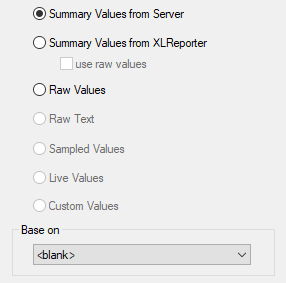 |
For FactoryTalk Optix Data Log InFlux DB Historical Values the following group types are available:
Summary Values from Server
This group type retrieves summary calculations directly from the historian. The following calculations are available:
First Sample
Last Sample
Count
Mean
Median
Mode
Skew
Range
Standard Deviation
Maximum
Minimum
Total
Summary Values from XLReporter
This group type retrieves sampled values from the database and performs calculations on those samples for reporting.
By default, summary values are calculated time weighted, and values are propagated based on the last known value. However, to change this so that summary values are calculated strictly on the data returned check use raw values.
Raw Values
This group retrieves every value logged to the database between the start and end time specified.
Group Settings
Setup Tab
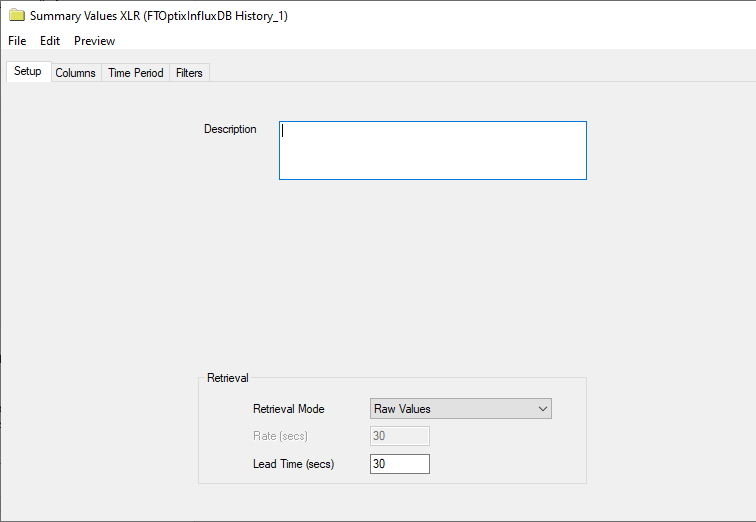 |
Retrieval (Summary Values for XLReporter Group)
The Retrieval settings define how data is retrieved for the calculations selected for the group. The following settings are available:
Retrieval Mode
This setting defines how data is retrieved from the historian. For FactoryTalk Optix Data Log InFlux DB Historical Values Sampled Values and Raw Values are available.
Sampled Values use first sample values returned from the historian.
Rate
The interval (in seconds) that sampled values are retrieved from the historian.
Lead Time
The amount of time (in seconds) to retrieve data before the start time.