ALARM ACKNOWLEDGE
The Alarm Acknowledge sub report provides the alarm acknowledgement times over area, module and attribute. Alarm acknowledgement time is defined as the time period of the transition from an unacknowledged to acknowledged state.
Settings
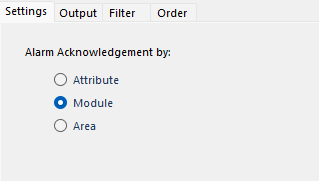 |
Alarm Acknowledgment by
Attribute
The alarm acknowledgement times are calculated by attributes.
Module
The alarm acknowledgement times are calculated by module.
Area
The alarm acknowledgement times are calculated by area.
Columns
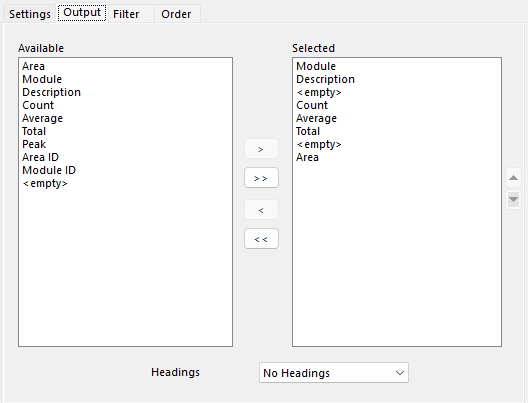 |
The columns returned for this sub report. Metrics include:
Count
Number of activation cycles
Average
Average amount of time activated (in days)
Total
Total amount of time activated (in days)
Peak
Longest time active (in days)
Headings
If a heading is written for each selected item.
No Headings
No headings are written to the report
At Runtime
Headings are written to the report when the report is generated
At Deign Time
Headings are written to the report when the data connection is configured if the cells where the headings go are blank.
Filter
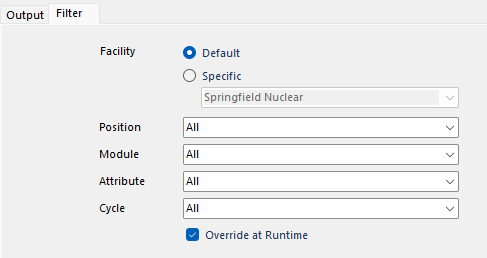 |
This tab defines filters that are applied to the sub report metric.
Facility
The facility to get the data from. This can be the Default as defined in the connector or a Specific facility defined in the connector.
Position
Operator Position filter to apply to the sub report metric. Every Operator Position filter defined in the connector is available to select.
Module
Module filter to apply to the sub report metric. Every Module filter defined in the connector is available to select.
Attribute
Attribute filter to apply to the sub report metric. Every Attribute filter defined in the connector is available to select.
Cycle
Cycle filter to apply to the sub report metric. Every Cycle filter defined in the connector is available to select.
Overwrite at Runtime
If checked, if filters are specified either On Demand or in the Schedule, the filters set here take precedence. Otherwise, the filters specified in On Demand or the Schedule take precedence over what is set here.
Order
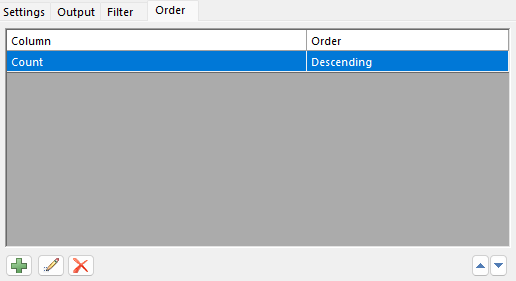 |
The order of how records are returned from this subreport.