Verify the Data Connector
XLReporter retrieves data from the Data Connector using a History Group.
From the Project Explorer select, Tools, Connector Groups
Select the Proficy Historian connector and then select Add.
Set the Group Type to Raw Values and click OK.
On the Columns tab of the group, select the tag Name(s).
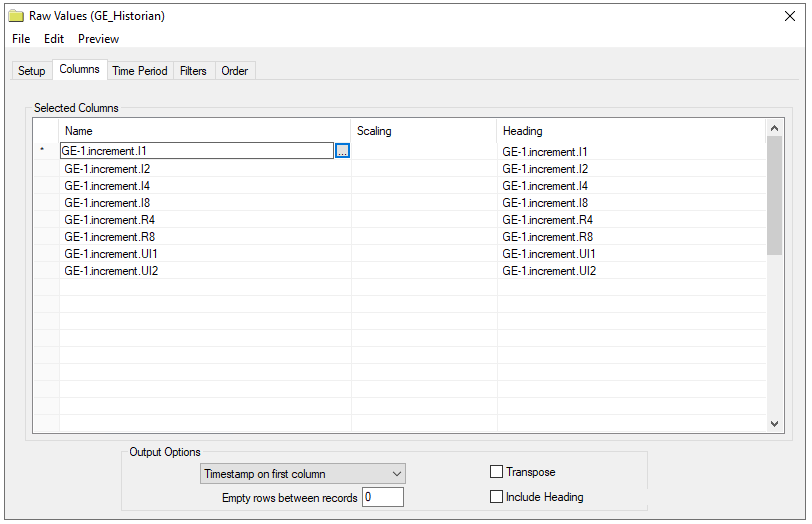
Select Preview, pick a Start date and click Refresh.

Filter Mode
The Filter Mode determines how values are interpolated when the filtering is applied.
Exact Time means that data is retrieved for the exact times when the filter condition(s) are true.
Before Time means that data is retrieved from the time of the last false filter condition(s) up until the time of the true condition for each filter.
After Time means that data is retrieved from the time of the true filter condition(s) up until the time of the next false condition for each filter.
Before and After Time means that data is retrieved from the time of the last false filter condition(s) up until the time of the next false condition for each filter.
For more information, see the Proficy Historian documentation.
Advanced Criteria
Advanced Criteria provides specific, server-based criteria which can be applied to the data returned from Historian. For more information, see criteriastring in the Proficy Historian documentation.