Backfilling Reports
Scheduler Backfill provides a powerful Virtual clock to rerun a set of schedules over a period of time. The feature can be used to create reports from data collected prior to the purchase of XLReporter or those that were missed due to unexpected problems.
Select the schedule lines by holding down the Ctrl key and clicking on a row(s). Note that any schedules that use Event based triggers are not considered. Click Tools, Report Backfill.
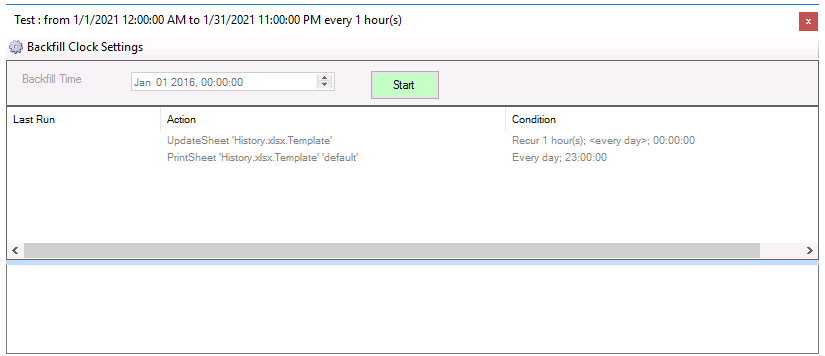 |
The Virtual clock setting of the start/end times and interval are show in the caption of the display.
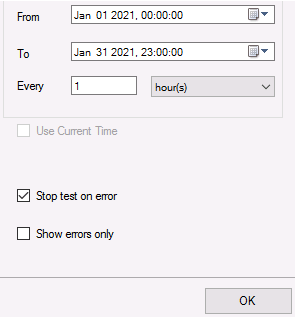
Click the Backfill Clock Settings to provide a new start/end and interval for the Virtual clock and click OK.
 |
From the main display, click Start. Using the From time, the Virtual clock increments until it reaches To time with the actions being processed at each increment. The processing is shown by the schedule lines changing color and with the results of the processing is shown in the results panel.