Connector
To configure the connector to DeltaV Continuous Historian, from the Project Explorer select Connect, Connectors.
Click Add
Select Emerson Automation Solutions, DeltaV Continuous Historian
Click OK
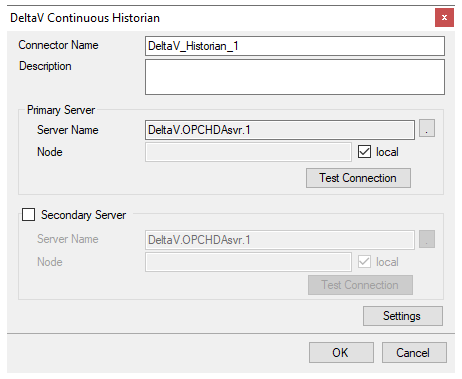 |
Primary Server
These settings define the Name and Node of the OPC HDA server. Typically, the Name is defaulted correctly. If the server is on the local machine, leave local checked, otherwise uncheck, and specify either the name or IP address of the machine where server is running.
Use the Test Connection button to verify a connection to the server.
Secondary Server
These settings define the (optional) secondary historian to connect to if a connection to the Primary Server fails.
Settings
For information on the specific settings, see the OPC Connectors document.