Set up Historian
AVEVA Historian stores data in a Microsoft SQL Server database. Tag data collection into the historian is configured in the AVEVA System Platform Management Console.
This is opened from the AVEVA program group by selecting AVEVA, System Platform Management Console.
Any tag in the InTouch Tag Dictionary can be logged by the AVEVA Historian by importing the tag. To import:
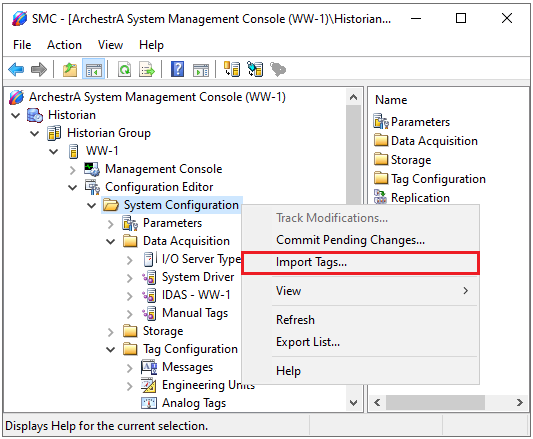 |
Expand Historian, Historian Group, the Historian machine name, Configuration Editor.
Select System Configuration right-click and select Import Tags.
Follow the Tag Import Wizard.