InTouch Configuration
Operations Integration Supervisory OPC Server
The OPC DA server in InTouch is defined in the System Platform Management Console. To open, from the AVEVA program group, select System Platform Management Console.
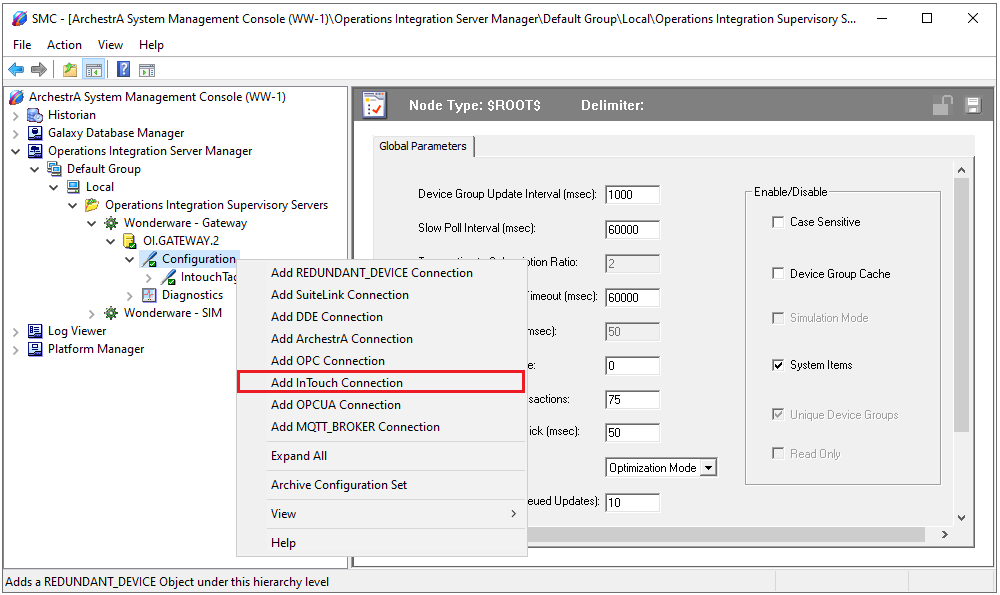 |
Expand Operations Integration Server Manager, Default Group, Local, Operations Integration Supervisory Servers, Wonderware – Gateway.
By default, an OI.GATEWAY server is listed and can be used (this may be OI.GATEWAY.2 or OI.GATEWAY.3 depending on the version installed). Otherwise, right-click on Wonderware – Gateway to create a new server instance.
Expand the server created, right-click Configuration, and select Add InTouch Connection.
Note
*The OI servers in AVEVA support connectivity to a variety of data sources beyond the InTouch Tagname Dictionary. The OI interface allows any of these sources to be exposed as an OPC DA server.
Set the Item Browse Path to that of the active InTouch application. This path is displayed at the top of WindowViewer.
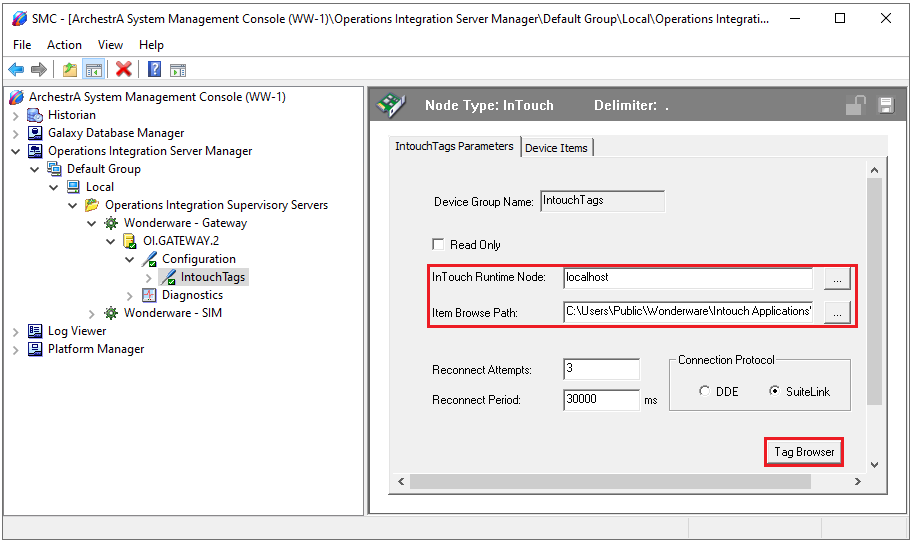
Open the Tag Browser and add any InTouch tags to be exposed to the OPC server.
When configuration is complete, click the Save icon in the upper right corner.
Supertags
If the InTouch application contains SuperTags, in order to expose the individual members of the SuperTag through the OPC server each member must be added manually to the list under the Device Items tab of the configuration.
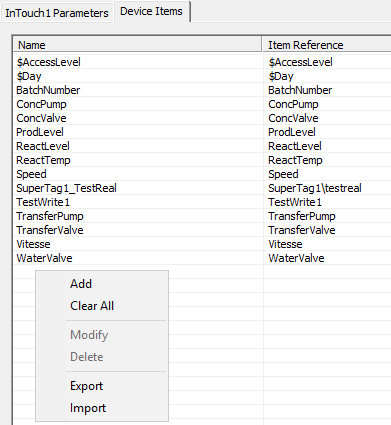 |
To add, right-click the list and select Add.
For example, if the application has a SuperTag configured as MyST1 and there are 4 members: val1, val2, val3 and val4, the following will need to be added to expose all four values:
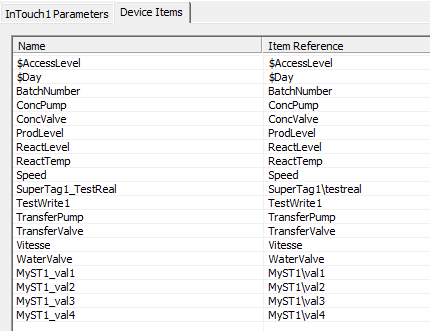 |
Note that the Item Reference must be in the format SuperTag Name\member. The Name can be customized but must adhere to the restrictions of tag names for the server (e.g., no spaces, “\” or “-“).
Be sure to save the configuration before closing the SMC.
InTouch Window Viewer
For XLReporter to collect data from InTouch tags through the OI gateway, WindowViewer must be in a running state. If it is not already running, from the AVEVA InTouch HMI program group, open InTouch WindowViewer.