Connector
To configure the connector to WinCC/PCS7 Alarms, from the Project Explorer select Connect, Connectors.
Click Add
Select Siemens SIMATIC, WinCC/PCS7 Alarms
Click OK
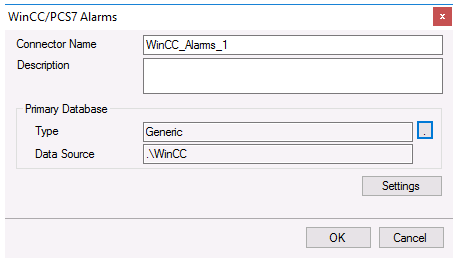 |
Primary Database
This setting defines the connection to the WinCC Alarms database. Use the browse button […] to define the connection.
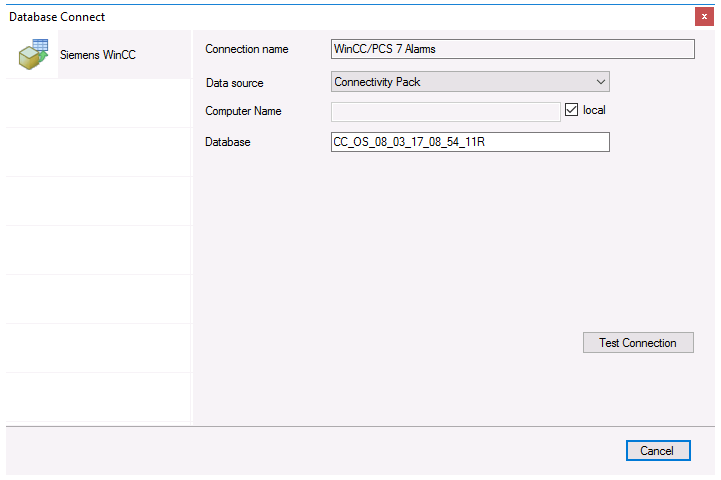 |
Data source
This defines how to connect to the alarms server. This depends on what is installed and licensed. It can either be Connectivity Pack or Open PCS7.
Computer Name/Symbolic Computer Name
The name of the machine where the alarm server is located.
If Connection is Connectivity Pack and the alarm server is on the local machine, check local. Otherwise uncheck local and specify the physical name of the machine.
If Connection is Open PCS7, this should be set to the Symbolic Computer Name where the alarm server is running.
Database
The name of the WinCC alarm database. This value can be read from the @DatasourceNameRT system tag in WinCC. Use System Check to read this value.