Overview
Stacked reports are a collection of Sub Reports that are combined (stacked) together according to a Stack Rule to produce the report. Sub reports may contain dependencies between each other.
Below are a few scenarios where sub reports would be used:
Batch report containing multiple lots
Process cycle performed over stages e.g., clean in place (CIP) for first rinse, caustic wash, sanitize and drain.
Product routing over a selection of stations
Process summary on a selection of assets e.g., OEE over a set of machines.
A common element in each of the above examples is that the report is produced by incrementally adding information to the report.
Sub reports are defined with layout/content, a set of data/management connections and a stacking rule. These concepts will be explained in more detail in this document.
The following examples show the template and the produced report:
A batch report containing multiple lots
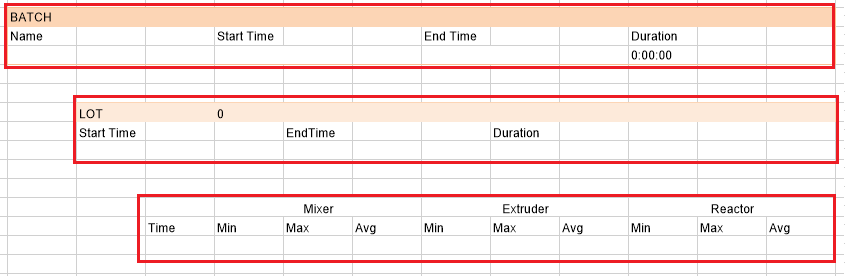 |
The template contains three sub-reports (red outline). The stacking rule is that for each batch selected, enumerate the lots and for each lot retrieve the process data. This produces a report like the following:
 |
A process cycle using a selection of stations
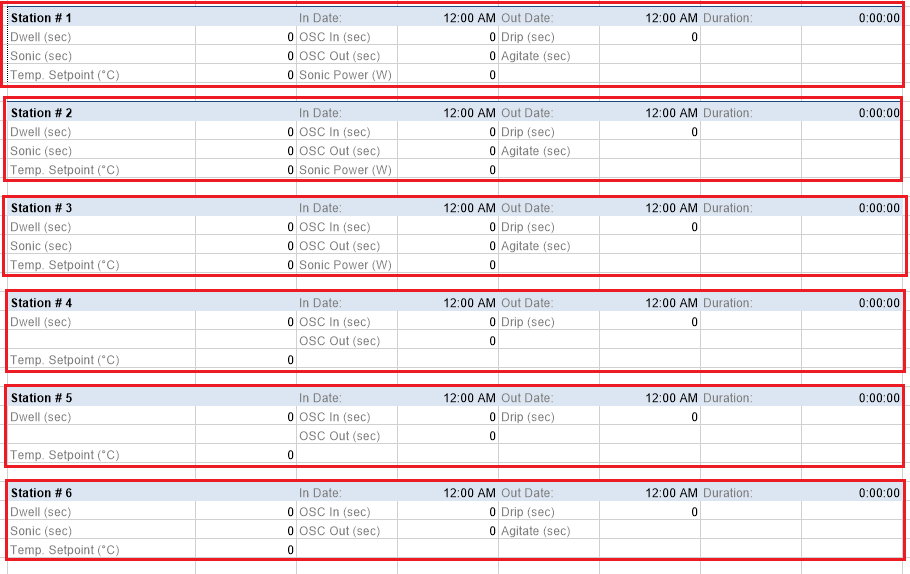 |
The template contains six sub-reports (red outline), one for each station. The stacking rule is that for a given basket, the sub report for each station used for that basket is shown in the report. This produces a report like the following:
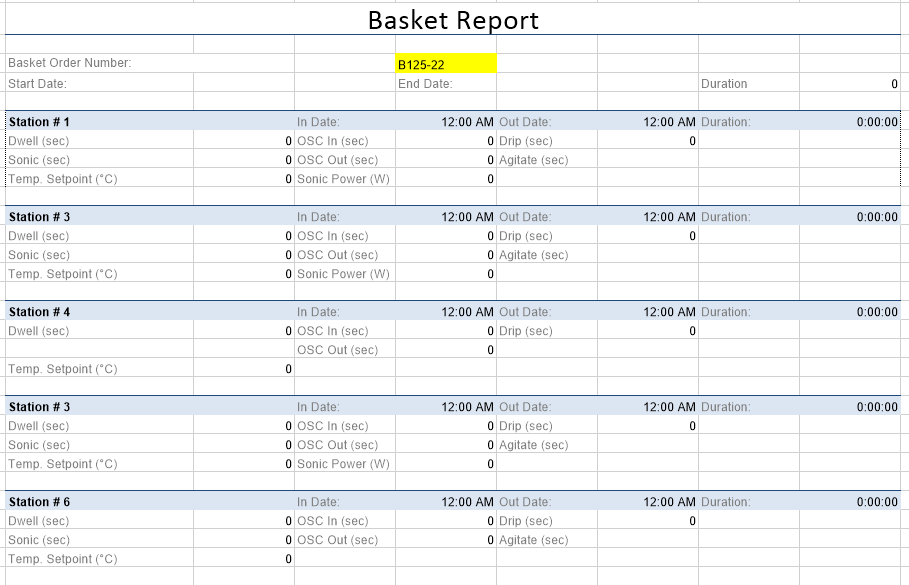 |
The reports shows the routing of the basket using station in the order #1 > #3 > #4 > #3 > #6