Prerequisites
Verify Data Storage
From the Proficy Historian program group, select Historian Administrator.
At the top click the Tags link.
Click Search Historian Tag Database.
Leave the Search window blank and click OK. All the available tags are now listed.
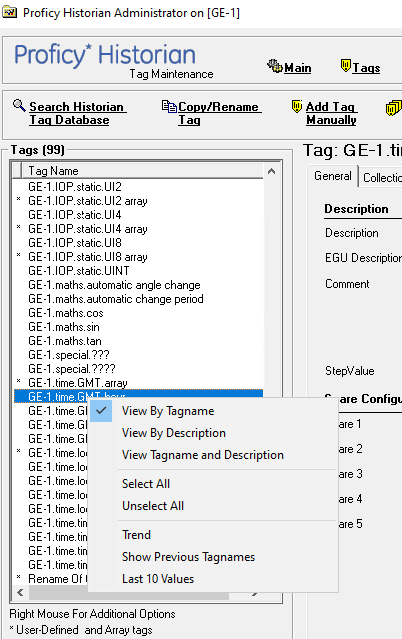
Right click a tag in the list and choose Last 10 Values.
This displays the last 10 values logged to the historian for the selected tag.