Prerequisites
Verify Database
To verify, open Microsoft SQL Server Management Studio and connect to the SQL Server instance where the Batch Historian database is configured.
Once connected,
Expand the DVHisDB database.
Expand Views.
Select the batchview view.
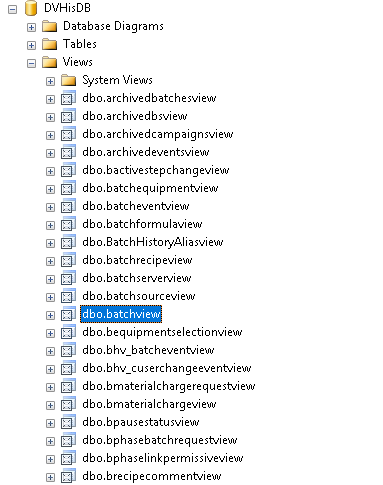
Right click the batchview view and choose SELECT TOP 1000 Rows. This should display data from the table.
If the database or table does not exist or no data is displayed contact Emerson Automation Solutions technical support to troubleshoot and correct these issues.
SQL Server Considerations
When using SQL Server there are some things to take into consideration including remote connectivity and user authentication. For information on what to consider, see the technical note: How to Configure Microsoft SQL Server.