Running Win-911 V7 as a Service
WIN-911 allows you to configure and run as a Windows Service. Below is a guide on how to set up the WIN-911 Service, along with tips and tricks.
WIN-911 supports running as a service with the following data sources
OPC
Archestra/System Platform NOTE: if your Galaxy is configured with Windows-Authentication, the service must run as an authenticated user)
iFix NOTE: iFix will also need to run as a service
DDE
WIN-911 does not support running as a service with the following data sources
RSView32
Intouch
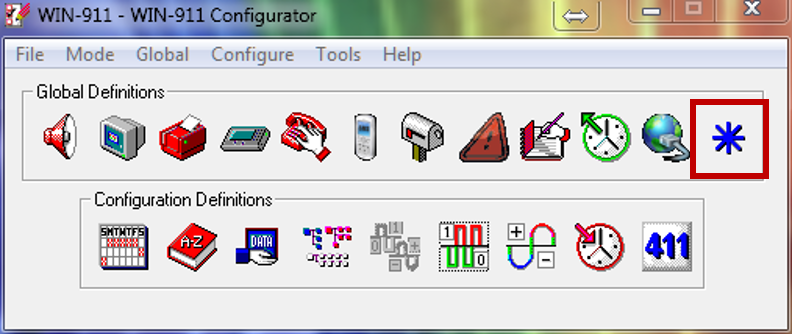
To enable running as a service, click on the Options icon
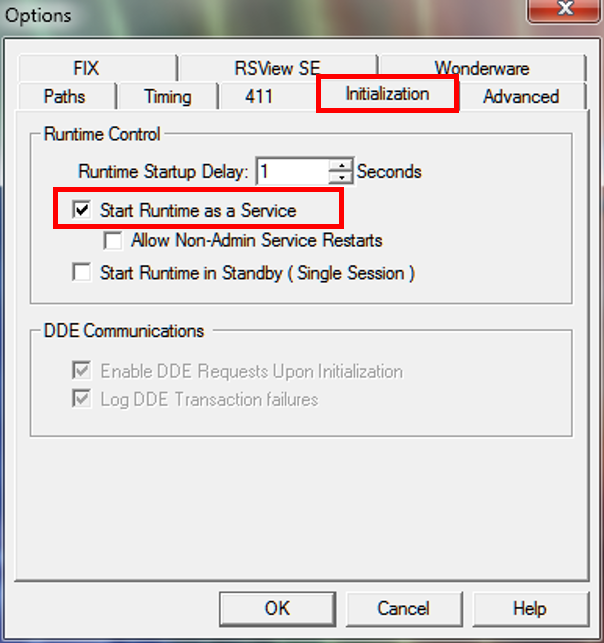
With the Options open, click on the Initialization tab. There you will find the check-box to Start Runtime as a Service. Checking the box directly below labeled Allow Non-Admin Service Restarts will allow a non-administrator to stop and start WIN-911 when it is running as a Window's service.
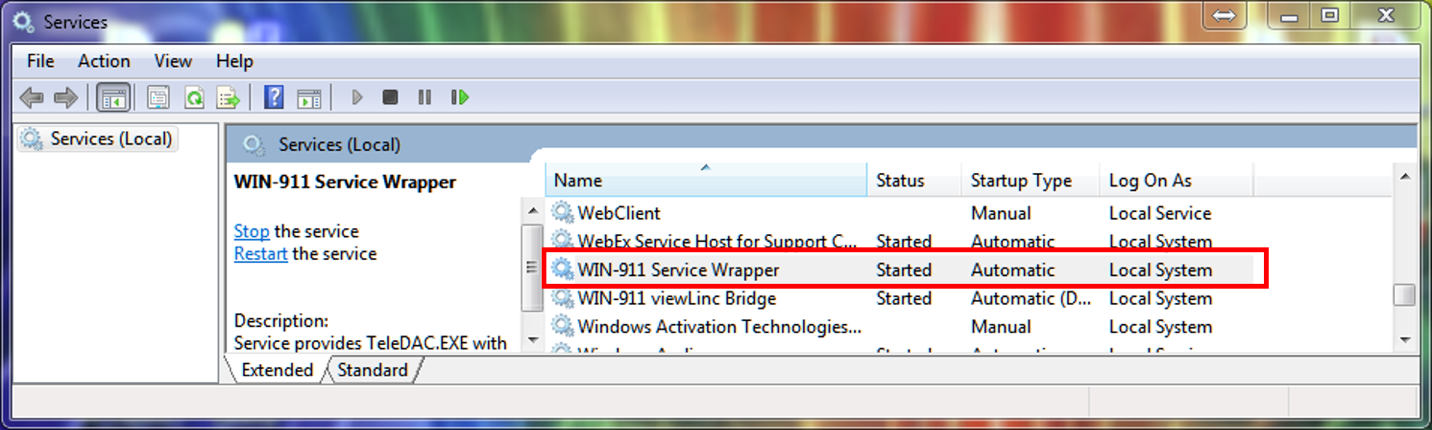
This will only set the WIN-911 Service Wrapper to Automatic, it will not run until you reboot the machine or start it manually. To get it running as a service without having to reboot the machine, simply navigate to your Local Services and locate the WIN-911 Service Wrapper highlight it, then click Start from the left pane.
Note
If this is for System Platform/Archestra, and you have Windows-Authenticated security defined within your Galaxy, the Log On As will to be defined as a Windows Authenticated user as well
Note
The WIN-911 viewLinc Bridge Service only affects users connected to the viewLinc SCADA, you have the option of disabling if you want to
Important Notes
When running WIN-911 as a service, you cannot launch Scan & Alarm anymore, it will open up two instances of WIN-911 and cause data source and hardware conflicts. WIN-911 will continue to run in the background, but you will have to use the WIN-911 Alarm Log Manager to view events.
It is recommended that when running WIN-911 as a service, that you un-check the box Display alarms in Alarm Monitor from the Group Definition, this will need to be done on a group by group basis. Doing so circumvents any conflicts with Windows background and foreground processes, preventing a potential crash.