Offline Licensing
Mar 8, 2024 Knowledge
Use this procedure when WIN-911 system does not have access to the Internet.
On the WIN-911 computer, open CodeMeter Control Center from the Windows Start Menu -> CodeMeter folder.
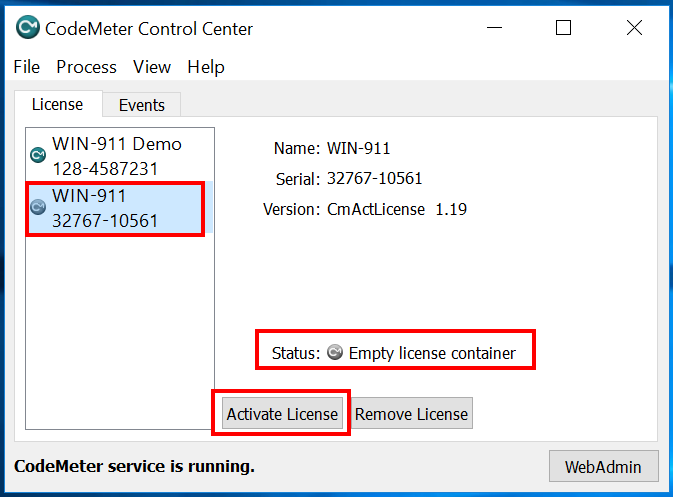
Select the “WIN-911®License” or “WIN-911” container showing "Status: Empty license container", click 'Activate License'.
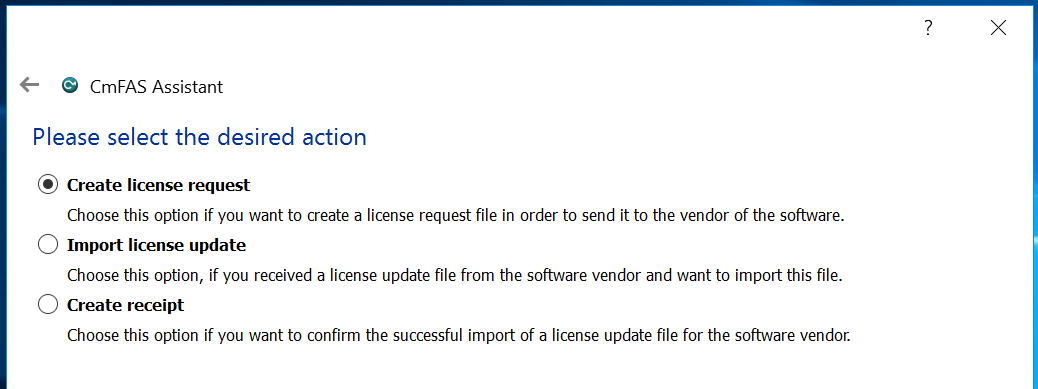
Click 'Next' on the CmFAS Assistant. Choose the option “Create license request,” click 'Next'.
Choose the path to save the license request file, click 'Commit'.
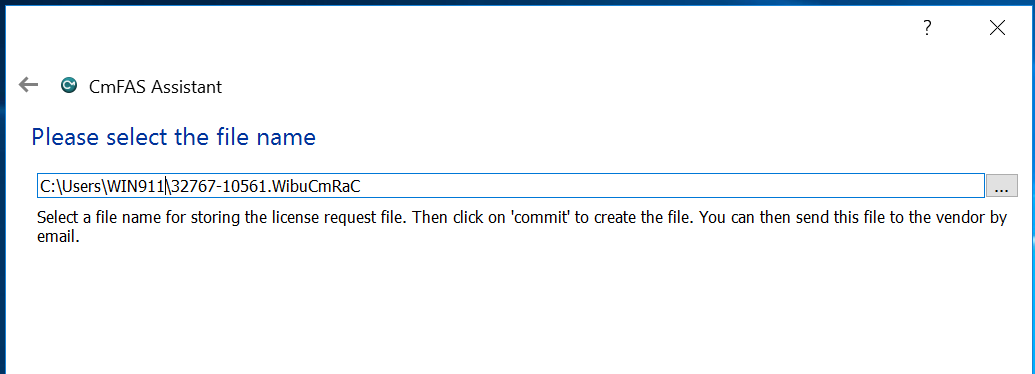
Transfer the license request file you created (32767-#####.WibuCmRaC) to a computer with Internet access.
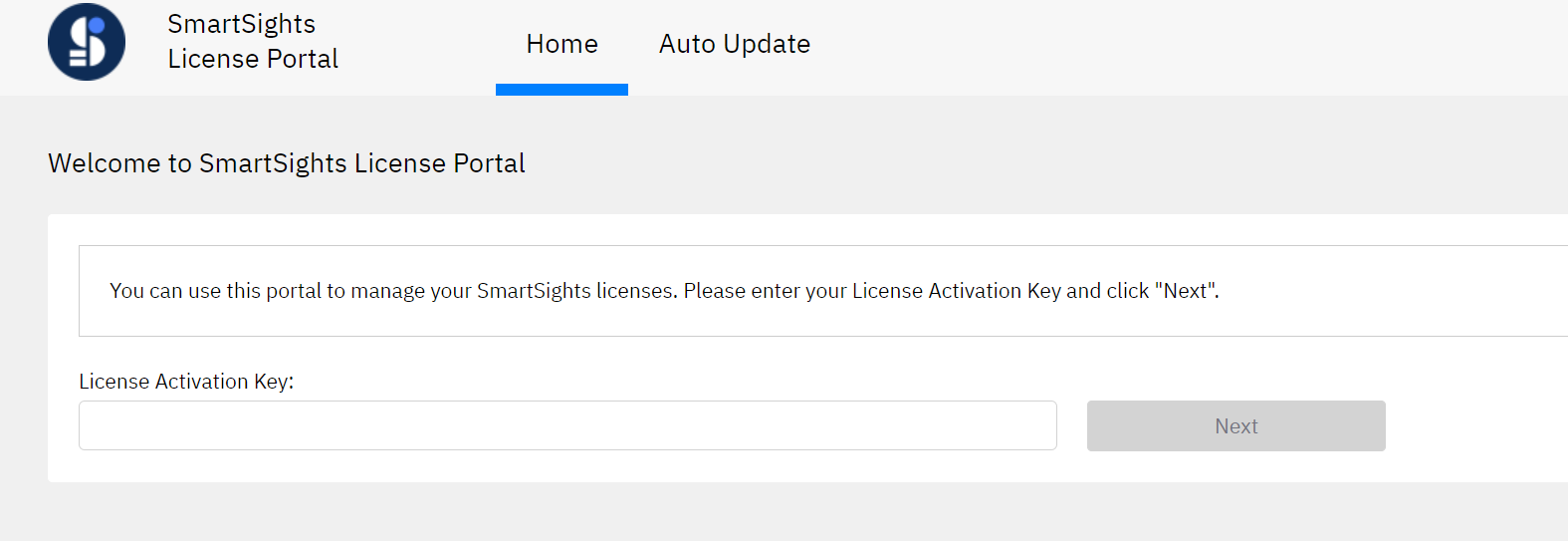
On the computer with the license request file, go to the WIN-911 License Portal at: http://lc.codemeter.com/69942/webdepot/index.php
Enter your License Activation Key, click ‘Next’.
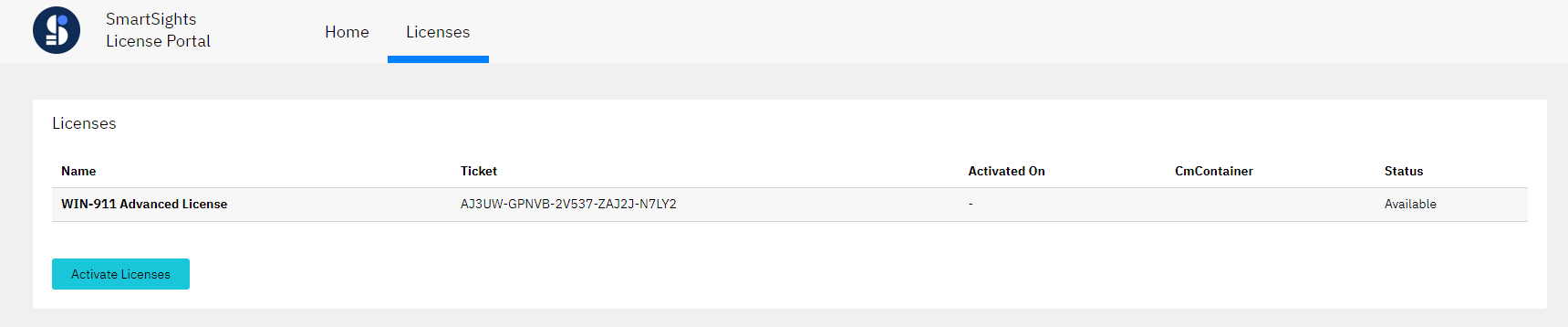
You will see your WIN-911 license(s) listed here. The Status will show Available. click 'Activate Licenses'.
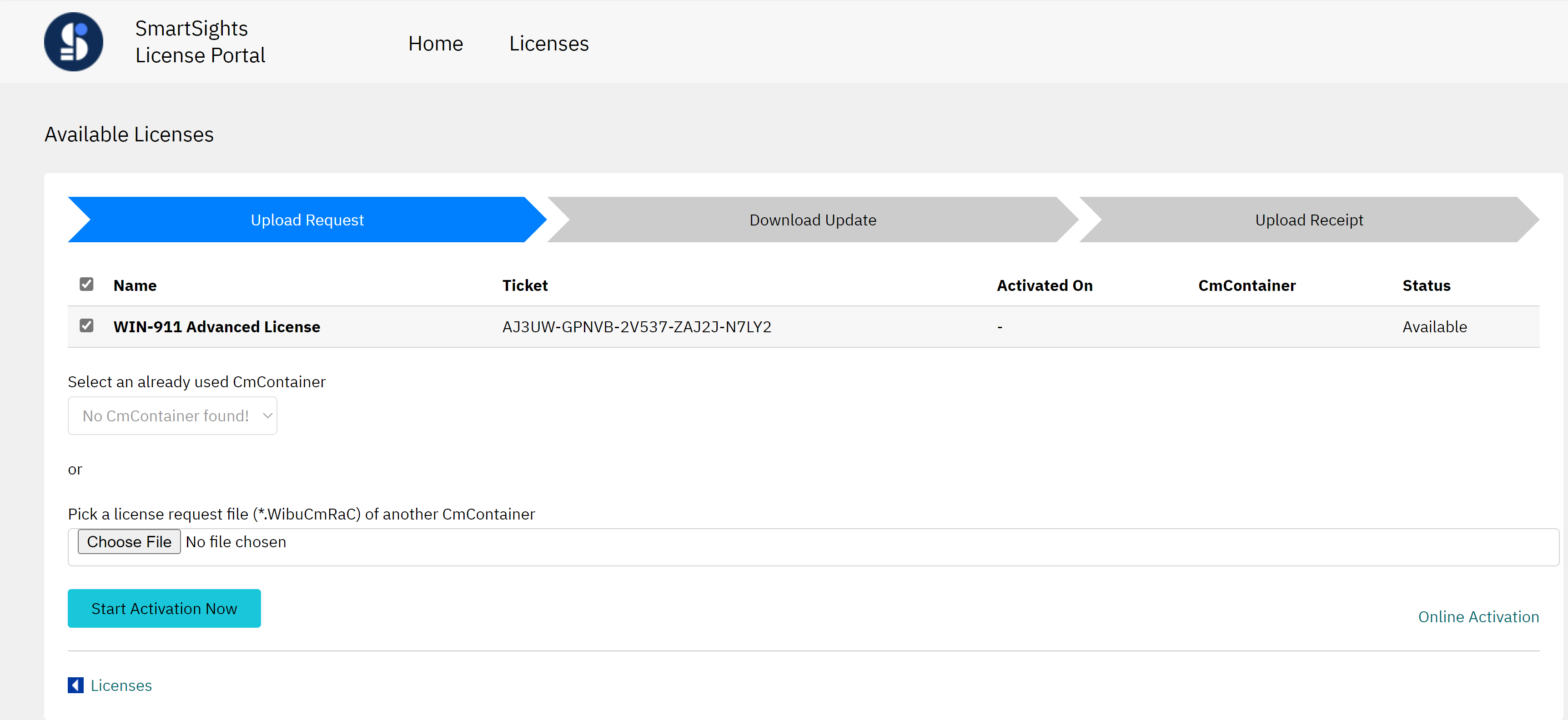
It should bring you to the Offline Activation - Upload Request page (as seen below). If not, click the link for ‘Offline Activation’ in the bottom right corner of the page.
Confirm all licenses are selected, then Upload the license request file (32767-#####.WibuCmRaC) using the ‘Choose File’ button.
Click, 'Start Activation Now'.
On the Download Update page, click ‘Download License Update Now’. Click, ‘Next’.

Now, transfer the license file you downloaded (128-########.WibuCmRaU) back to the WIN-911 computer. Double-click or drag and drop the file to import the file in CodeMeter.
Open CodeMeter Control Center to confirm the WIN-911 license Status shows “License activated.”
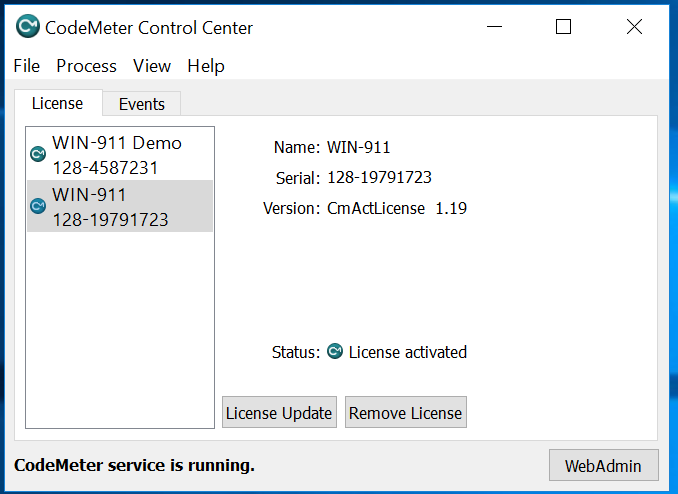
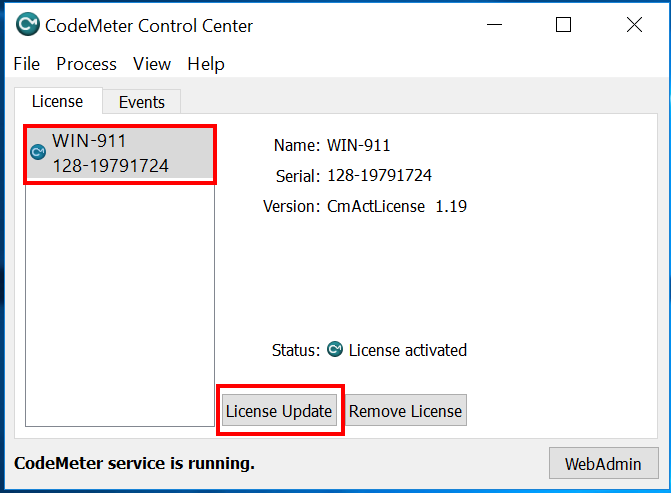
The final step to complete the license transfer is to upload your License Receipt to the WIN-911 License Portal. In CodeMeter Control Center, select the WIN-911 license, click 'License Update'.
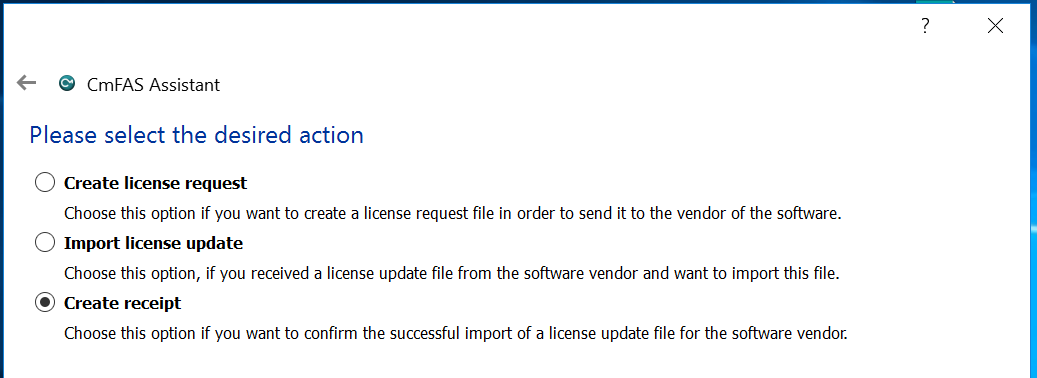
Click 'Next' on the CmFAS Assistant. Choose the option "Create receipt,” click 'Next'.
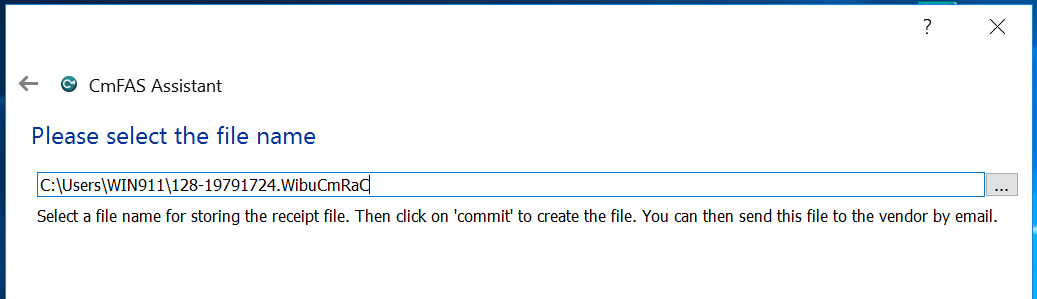
Choose the path to save the license request file, click 'Commit'.
Now, transfer the license receipt you created (128-########.WibuCmRaC) back to a computer with Internet access. On the computer with the license receipt file, go back to the WIN-911 License Portal: http://lc.codemeter.com/69942/webdepot/index.php
Note
If you closed the webpage, you will need your License Activation Key to log back in. Then click, Continue License Transfer.If you closed the webpage, you will need your License Activation Key to log back in. Then click, Continue License Transfer.
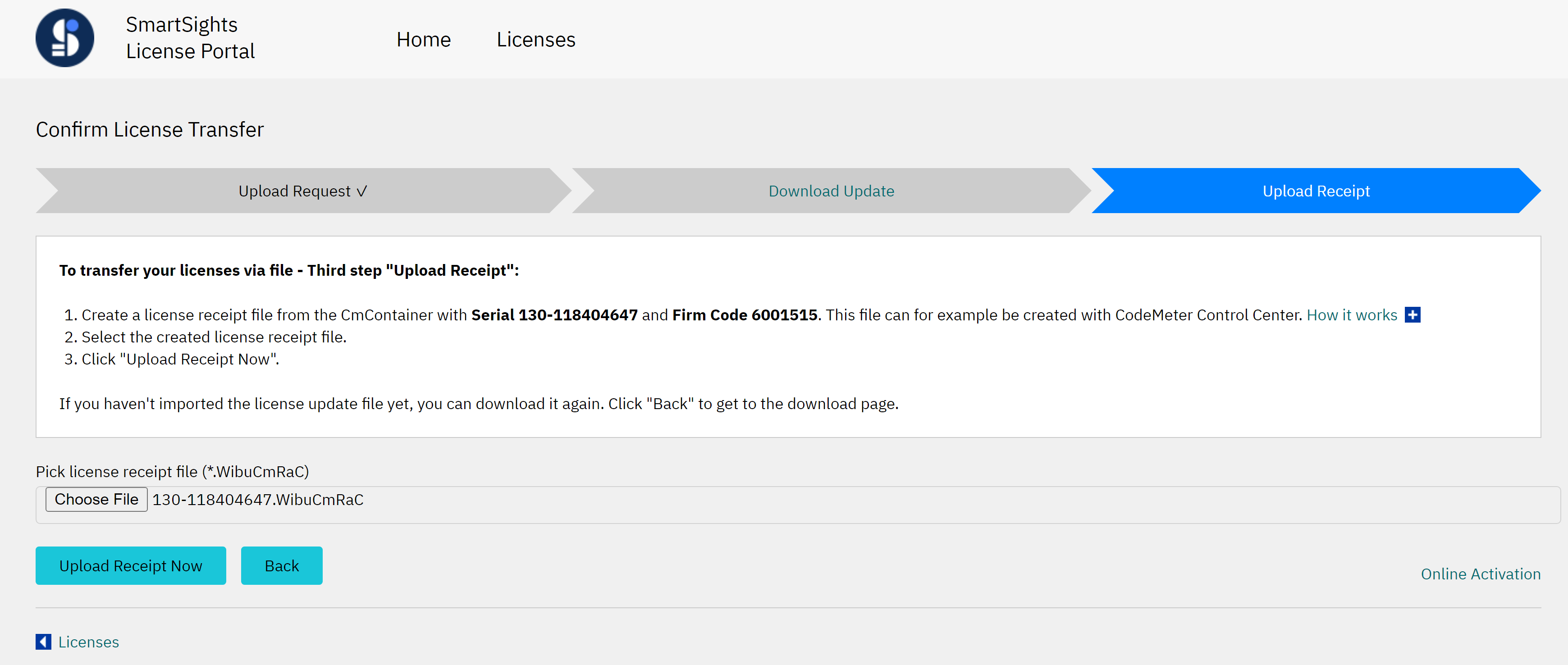
Upload the license receipt file (128-########.WibuCmRaC) using the Choose File button.
Click, 'Upload Receipt Now'.
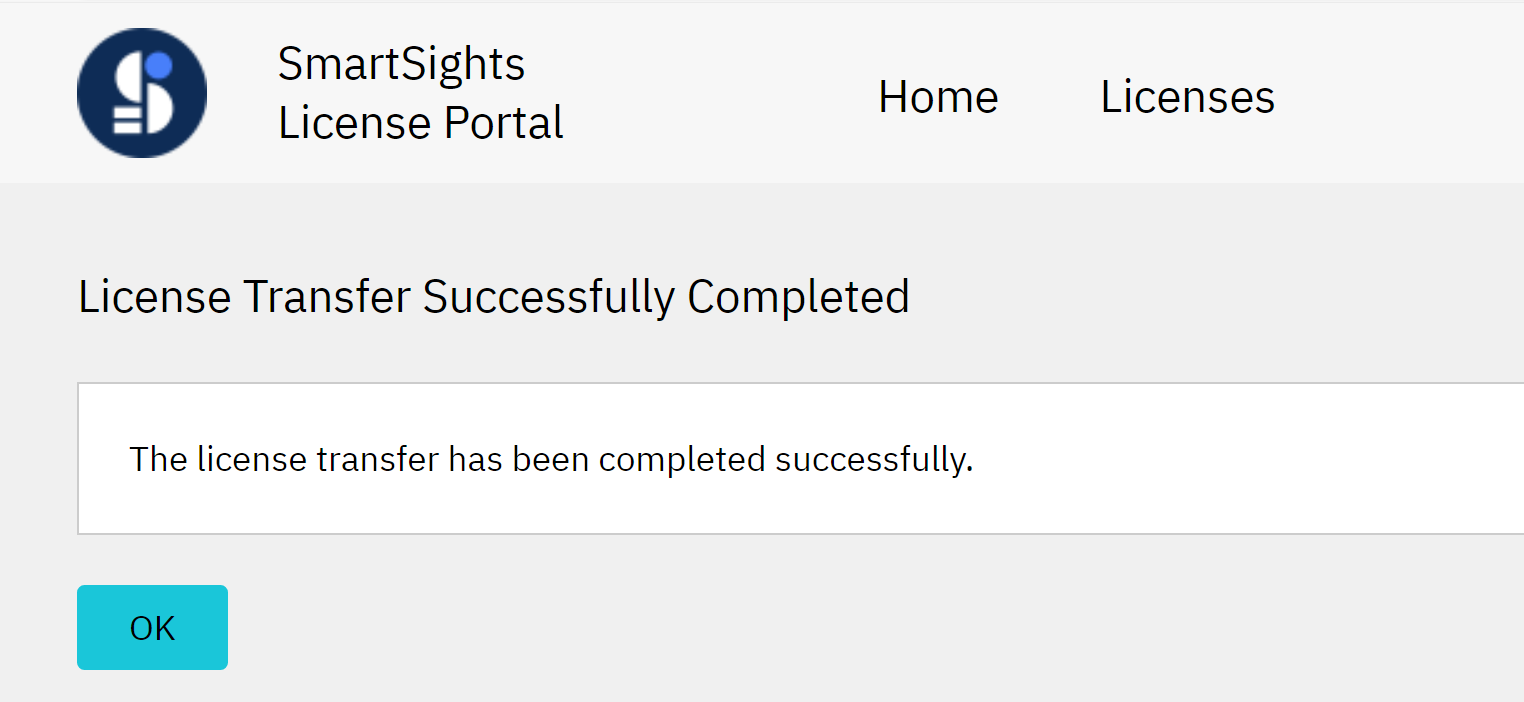
You will see "License Transfer Successfully Completed", then click, 'OK'.
"Status: Activated"
