User Logins
Not to be confused with Users added to User Groups in the Notification System, User Logins are accounts created in the system for a particular person or team with which they log into PEER. Logging in to this account allows those users to save their own preferences, default views, and filters.
User Logins are maintained using the Users Editor.
If your company has opted to implement SSO (Single Sign On), User Logins are automatically generated the first time the user is logged in via your IdP (Identity Provider). Their role will be determined by the IdP. After that, their preferences will follow them each time they log in.
User Login Procedures
Logging into the application can be done in one of two ways:
ABLE™/PEER™ Native username/password
Navigate to either the Configuration app, or the Runtime app, using links that are the following if you are a hosted customer:
Configuration: https://app.smartsights.com/configuration
Runtime: https://app.smartsights.com/runtime
Enter your hosted username/password
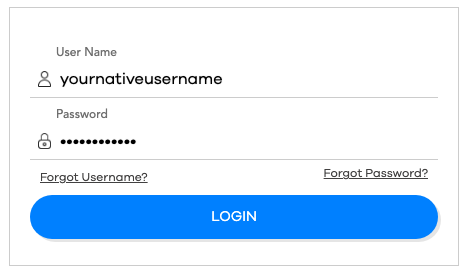
Click the button and you will be redirected to the appropriate application
Note
If you forget your username, you can recover it by clicking the link, and entering the email address used to create your account.
Note
Likewise, forgotten passwords can be reset by clicking the link, and entering your username. A password reset link will be emailed to the email address associated with your account.
Single Sign On (SSO)
Navigate to your company's IdP dashboard, and login with your company credentials
Click the tile on your dashboard associated with the desired application
You will automatically be redirected to the appropriate application
Note
If you do not currently utilitze SSO, and wish to receive more information, please contact [email protected].