Configuring Ticket Display
Important
After making edits or additions in Configuration, it's important to remember to click the button so your changes will be communicated to the runtime. Runtime users will need to refresh their browsers for the changes to be reflected.
Click the button in the left navigation bar.
You will be presented a list of forms available (the same dialog presented when creating a new ticket).
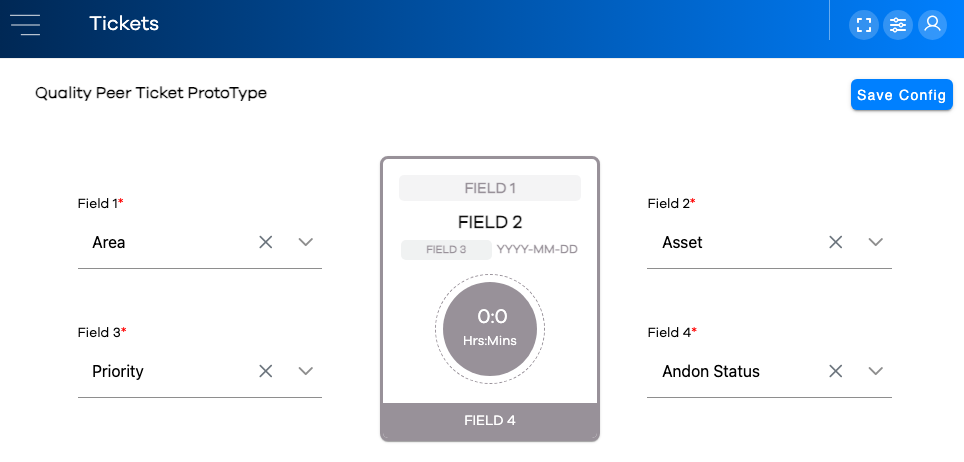
A dropdown list of fields from the chosen form is presented for each area labeled "Field [x]" on the tile. Select a field for each.
Warning
Selecting a non-required field for a particular tile area poses the risk of that area of the ticket being blank.