Quick Click Status Changes
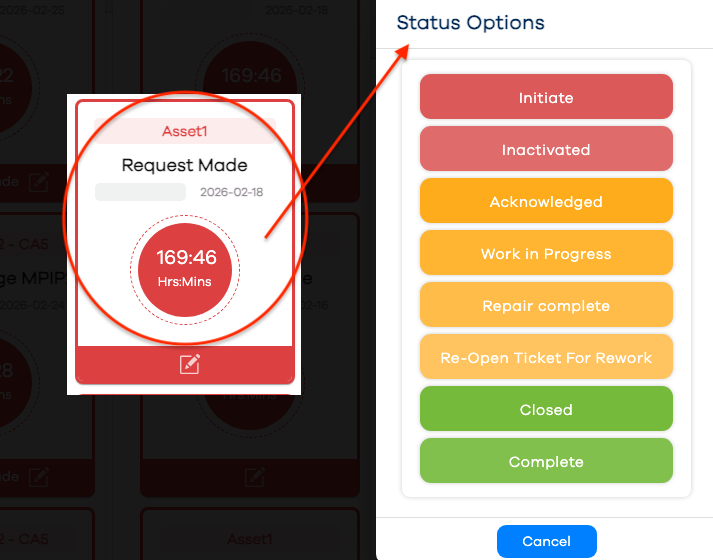
Forms can contain numerous fields, which could make ticket entry and update time consuming for the operator. In the interest of minimizing downtime, the Quick Click functionality was introduced so an operator can bypass detailed entry in the interest of getting the asset running again.
For example, an operator can open a ticket with the One Click functionality, requiring only a couple of clicks. When a maintenance technician arrives at the line, if Quick Click status is enabled, they can also acknowledge the ticket with only a couple of clicks. The intention here is to make PEER™ interaction more efficient, reducing actual downtime. When the asset is running again, the user may update the ticket normally, and provide more detailed information.
The option for enabling Quick Click Status Changes is done in View Settings of the Configuration app, and applies to all forms.
Click the Ticket tile in question from the Message Center, in any portion of the tile above the footer bar containing the edit icon.
Note
Clicking anywhere in the tile's footer will launch the update form in its entirety.
Click a status option to change to the desired status (i.e. typically for the Acknowledged status)